Yes, you can stage a home for sale without renting a single piece of furniture. Upload a photo of the empty (or dated) room to an AI staging tool, choose a style, and in under a minute you get a photorealistic image of that same room furnished and styled to sell. That's virtual staging in 2026: no moving trucks, no rental contracts, no waiting two weeks for a stager's calendar to open up. This guide covers exactly how it works, what it costs versus traditional staging, the disclosure rules every agent needs to know, and the free tools that actually produce listing-grade results.
I started paying attention to this the day a friend (a first-time seller) sent me two versions of her living room listing photo: one empty, one AI-staged. The empty one looked like a foreclosure. The staged one looked like somewhere you'd want to live. Same room, same window, same afternoon light. The only difference was software. Her listing got three showings in the first weekend. That's the whole pitch, and the rest of this article is how to do it well.
What Is AI Virtual Staging?
AI virtual staging is the process of digitally furnishing and styling a real photo of a property so buyers can picture themselves living there. An image model reads your listing photo (the layout, the ceiling height, the light coming through the windows) and adds furniture, rugs, art, and decor that fit the space in correct perspective. Crucially, it changes the staging, not the structure: the walls, floors, windows, and proportions stay exactly as they are in real life.
That last point is what separates honest virtual staging from a misleading edit. Good virtual staging answers the buyer's question ('could my life fit in this room?') without pretending the room is bigger, brighter, or differently shaped than it actually is.
Why Do Staged Homes Sell Faster?
Because empty rooms are hard to read. Buyers scrolling a listing at 11 pm can't judge whether a sofa fits, where the bed goes, or how a dining table works in an awkward corner, so an empty room reads as a question mark, and question marks get scrolled past. Staging removes the guesswork. In agent surveys, staging consistently ranks among the highest-return pre-sale moves precisely because it converts online browsers into in-person showings, and showings are where offers come from.
Virtual staging simply makes that advantage cheap and fast enough to use on every listing, not just the flagship ones. A vacant three-bedroom that would cost thousands to physically stage can be fully virtually staged (every room, multiple style options) for the price of a coffee, before the photographer has even left the driveway.
Design any room, shop or space with House AI in about 15 seconds. 1 free design a day.
Get Started TodayHow to Virtually Stage a Home With AI (Step by Step)
Step 1, Photograph the empty room properly
Shoot in landscape from a corner or the doorway so the whole room is visible, at chest height, in daylight. Straight lines matter more than megapixels: a level camera gives the AI honest walls to furnish. Turn on the lights and open the blinds.
Step 2, Upload it to an AI staging tool
In House AI, open Interior Design and drop the photo in. The room type, depth, and structure are detected automatically, you don't measure anything. Each surface has its own tool, so exteriors, gardens, walls, and floors can be handled the same way if the listing needs it.
Step 3, Choose a style that matches the buyer, not your taste
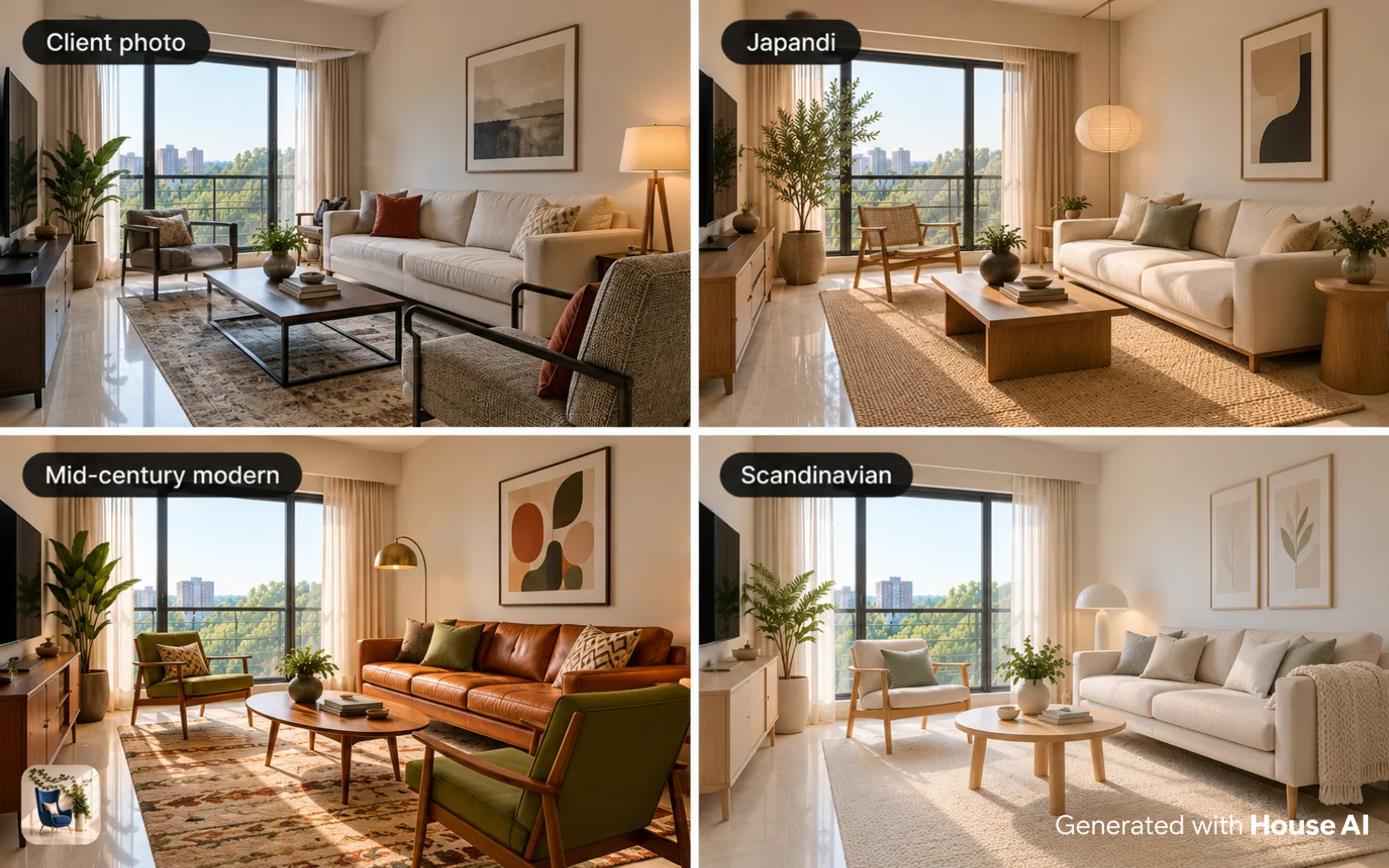
Pick the aesthetic your likely buyer wants, Modern and Scandinavian for young professionals, warm transitional for families, airy coastal for a beach market. Use a structure-preserving mode so the walls, windows, and floor stay factual and only the furniture is added.
Step 4, Generate a few options and pick the honest one
The render lands in about 15 seconds. Make two or three, then choose the one that looks like a home a real person keeps, not a showroom nobody lives in. Restraint sells; over-styling reads as fake and erodes trust the moment a buyer walks in.
Empty Room or Dated Room? Two Staging Paths
Not every listing is vacant. The right tool depends on what you're starting with:
Empty room → furnish it from scratch
For vacant properties, Interior Design fills the blank space with a complete, cohesive setup (seating, rugs, lighting, art) anchored to the room's real dimensions so nothing floats or overlaps a doorway.
Occupied but dated → swap the tired pieces
If the seller still lives there, you rarely need a full restage. Furniture Replace lets you mark that heavy 90s recliner and swap it for a clean modern chair, while everything else in the photo stays put. It's surgical, and it keeps the image believable.
Cluttered → clear it out first
Personal clutter kills listing photos. Furniture Cleanup erases the exercise bike, the laundry pile, or the oversized cabinet cleanly, filling the space back in with the correct wall and floor, a decluttered 'before' that stages far better.
Have a look you're copying → match it exactly
Found a model-home or magazine interior the seller loves? Style Transfer applies that exact palette, materials, and mood onto the listing photo, so the whole set of images shares one consistent, intentional aesthetic.
Before & After: What Virtual Staging Actually Looks Like
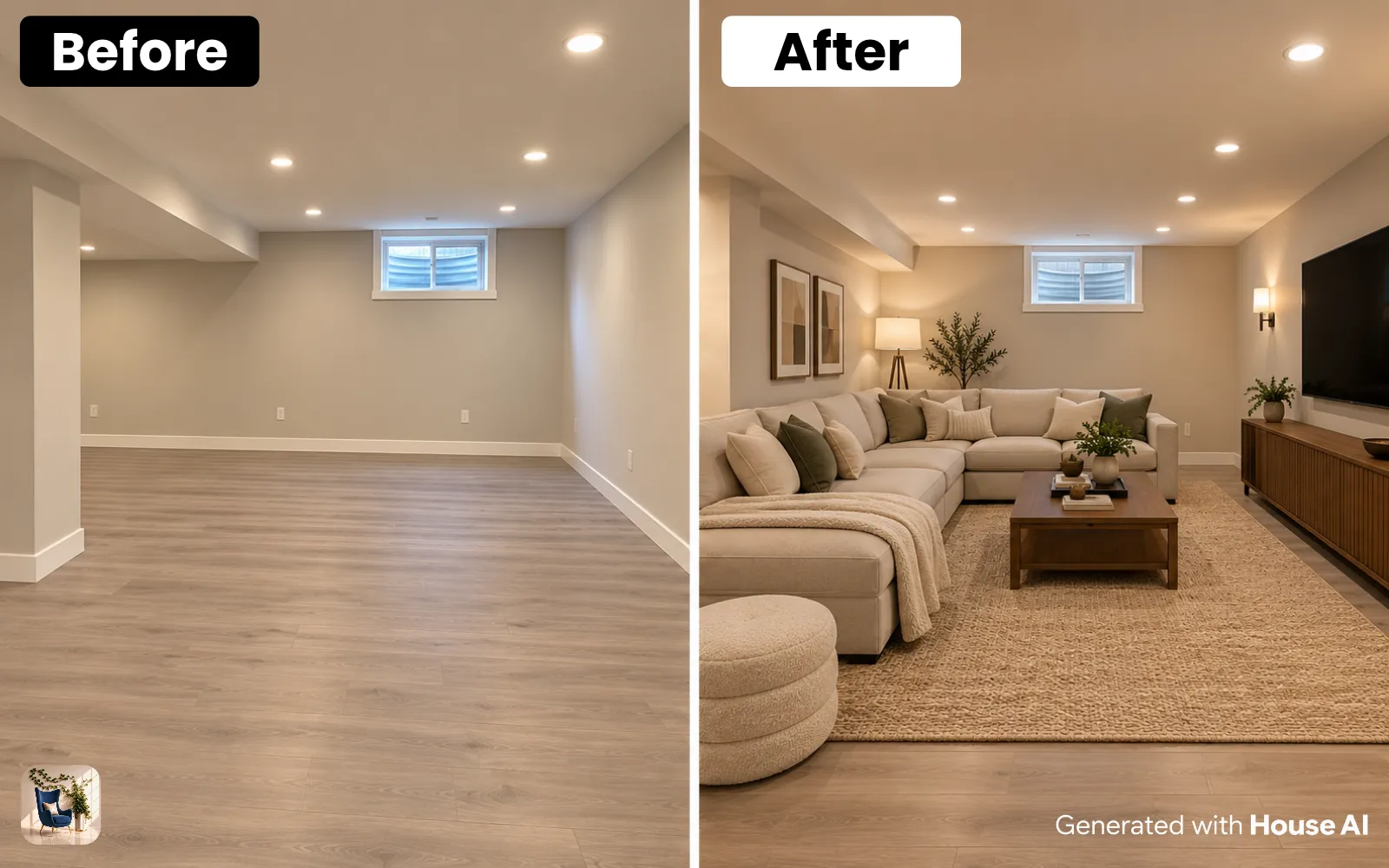
Here's a real single-photo stage, same room, same angle, one generation. Notice what didn't change: the window, the ceiling line, the depth and proportions of the space. That structural honesty is exactly what a listing needs. The furniture is a suggestion; the room is the truth.
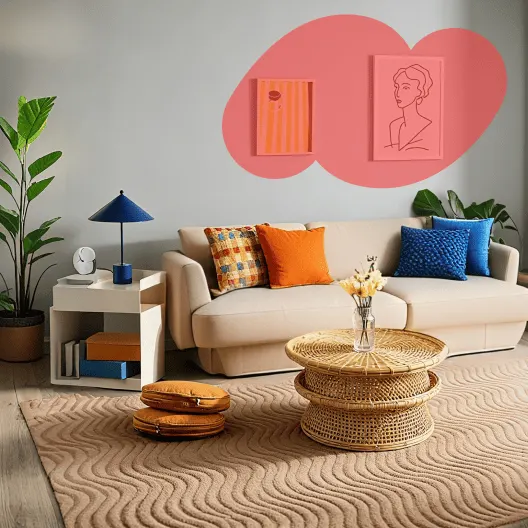
"Virtual staging doesn't sell a fantasy, it removes the buyer's homework. Show them where the sofa goes, and they stop scrolling and start booking."
How Much Does Virtual Staging Cost in 2026?
The gap between physical and virtual is enormous. Traditional in-person staging typically runs into the hundreds or thousands of dollars per property, furniture rental, delivery, a stager's fee, and a monthly charge for as long as the home sits on the market. Dedicated virtual-staging services charge per image, usually somewhere in the low tens of dollars, with a turnaround of a day or two.
AI staging tools collapse that further. House AI, for example, offers 3 free designs a day to test the workflow, and unlimited renders work out to well under a dollar a day on the yearly plan, so an entire listing, every room, multiple style options, costs less than a single traditionally staged photo and arrives in minutes instead of days. For a busy agent listing several homes a month, that math is not close.
Is Virtual Staging Legal? The Disclosure Rules Agents Must Follow
Virtual staging is completely legal and widely used, but it comes with one non-negotiable rule: disclose it. Buyers must never be misled into thinking added furniture conveys with the property, and the underlying room must be represented truthfully.
- Label virtually staged photos clearly, a simple 'Virtually staged' caption on each edited image is standard practice
- Never alter permanent features to deceive, don't remove structural flaws, hide damage, erase a support column, or change the room's real size or shape
- Only add movable items, furniture, rugs, art, and decor that a buyer understands aren't included in the sale
- Keep an unstaged original available, many markets and MLS rules expect the true, empty photo to be accessible too
- Check your local MLS and board guidelines, disclosure specifics vary by region, so confirm the exact wording your market requires
Follow those and virtual staging is not just legal, it's the ethical, buyer-friendly way to market a vacant home. The goal is to help buyers imagine living there, never to hide what they're actually buying.
7 Tips for Listing-Grade Virtual Staging
- Match the style to the target buyer and the neighborhood, not to your personal taste
- Under-furnish rather than over-furnish, a few well-placed pieces read as real; a packed room reads as staged
- Keep scale honest: a sofa that swallows the room online creates disappointment in person
- Stage the rooms buyers care most about first, living room, primary bedroom, kitchen
- Use consistent styling across every photo so the listing feels like one intentional home
- Preserve the real light, don't brighten a north-facing room into something it isn't
- Always caption edited images 'Virtually staged' so trust survives the in-person visit
FAQ: AI Virtual Staging
Is virtual staging worth it for selling a home?
For vacant or sparsely furnished listings, almost always. Staged photos generate more clicks and more showings, and virtual staging delivers that advantage at a fraction of the cost and time of physical staging, often the difference between a listing that gets scrolled past and one that gets booked.
Do I have to disclose that photos are virtually staged?
Yes. Best practice (and the rule in most markets) is to clearly label any virtually staged image and keep an unedited original available. Disclosure protects both the buyer and you; the added furniture must never be mistaken for something included in the sale.
Can AI stage an empty room, or only restyle a furnished one?
Both. Interior Design furnishes a completely empty room from scratch, while Furniture Replace and Furniture Cleanup handle occupied spaces (swapping dated pieces or clearing clutter) so the tool fits whatever state the property is in.
Will virtually staged photos look fake?
Only if you over-do it. Modern tools keep the room's real perspective and lighting, so the giveaway is almost never the technology, it's over-styling. Furnish with restraint, match the light, and keep the scale honest, and buyers read the image as a real home.
Do I need design skills or special software?
No. The whole point of photo-based AI staging is that a normal phone photo and a couple of style clicks is the entire skill set. No 3D modeling, no measuring, no design background required.
The Bottom Line
Virtual staging used to be a slow, pricey add-on reserved for premium listings. In 2026 it's a one-photo, one-minute, near-free step that any agent or seller can run on every room before the listing goes live, as long as it's done honestly and clearly disclosed. Empty rooms sell slowly because buyers can't picture their lives in them. Show them the possibility, label it truthfully, and let the room do the rest.
Design any room, shop or space with House AI in about 15 seconds. 1 free design a day.
Get Started Today