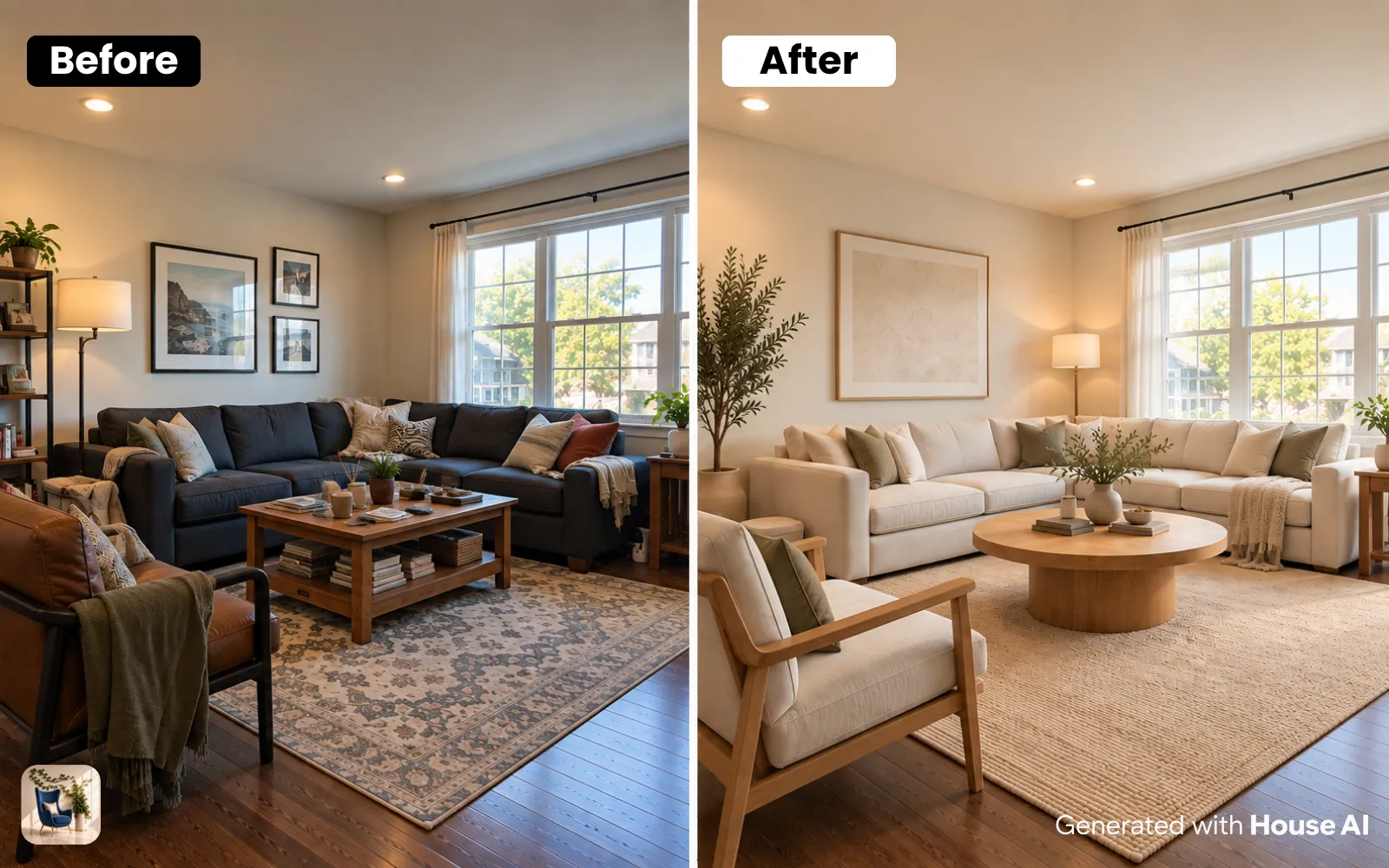
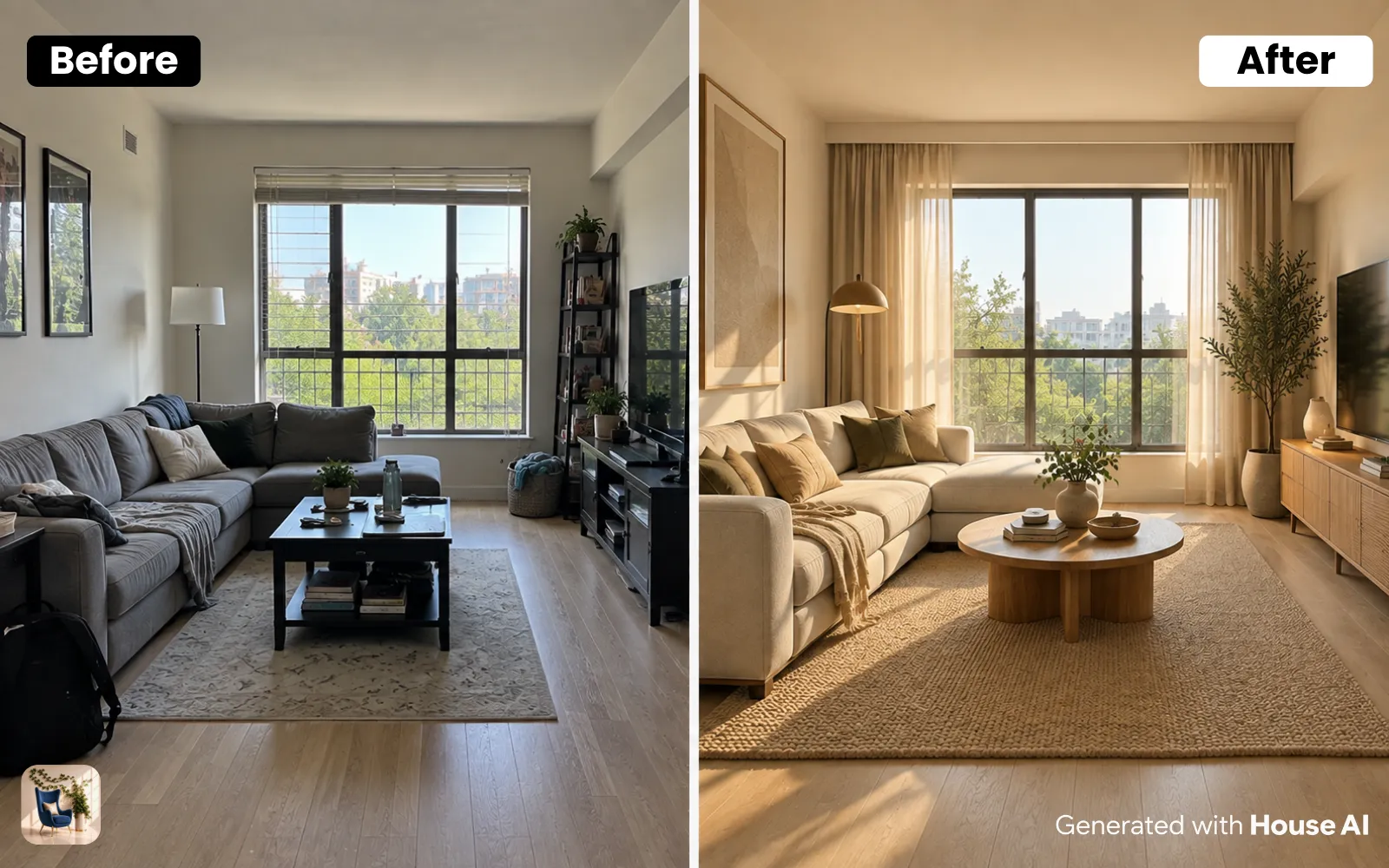
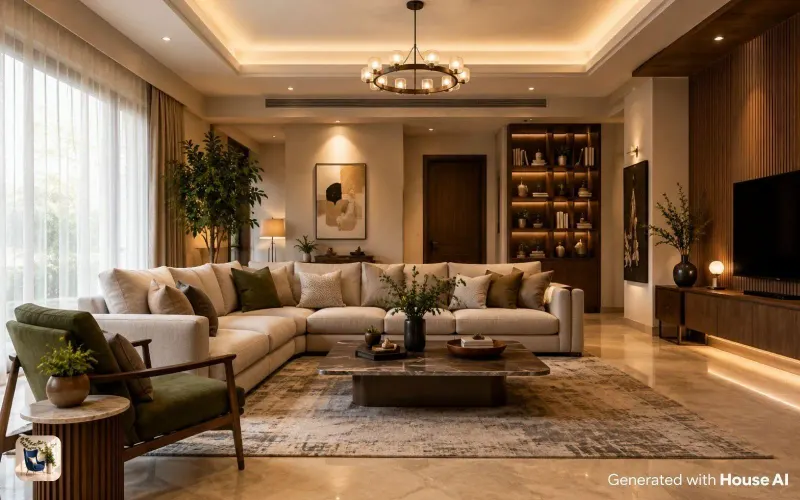
The best AI interior design app in 2026 is House AI, you upload one photo of your room and get a photorealistic redesign in about 15–25 seconds, across interiors, exteriors, gardens, walls and flooring, with a free daily generation to try it. The rest of this guide compares the top apps by what they're actually good at, what they cost, and who should pick which, so you can choose in five minutes instead of five hours.
I've lost count of how many "AI interior design" apps I've installed, tested, and quietly deleted over the last year. Some are genuinely magic. Some are a paywall wearing a trench coat. This is the honest shortlist (the ones I actually reopen) with the real trade-offs nobody puts in their App Store screenshots.
Quick definition first, because it matters: an AI interior design app takes a photo of your real space and redesigns it, your actual room, same windows, same proportions, new style. That's different from a mood-board app that just shows you pretty pictures of someone else's house. Everything below is the photo-in, redesign-out kind.
What Makes an AI Interior Design App Worth Using?
After enough testing, the good ones all share four things. Speed, a render in under 30 seconds, because design is about iterating, not waiting. Structural honesty (it redesigns your real room instead of inventing a fourth wall. Range) interiors are table stakes; the best also handle exteriors, gardens, walls and floors. And a real free tier, enough to know within a day whether it fits your project, without a credit card.
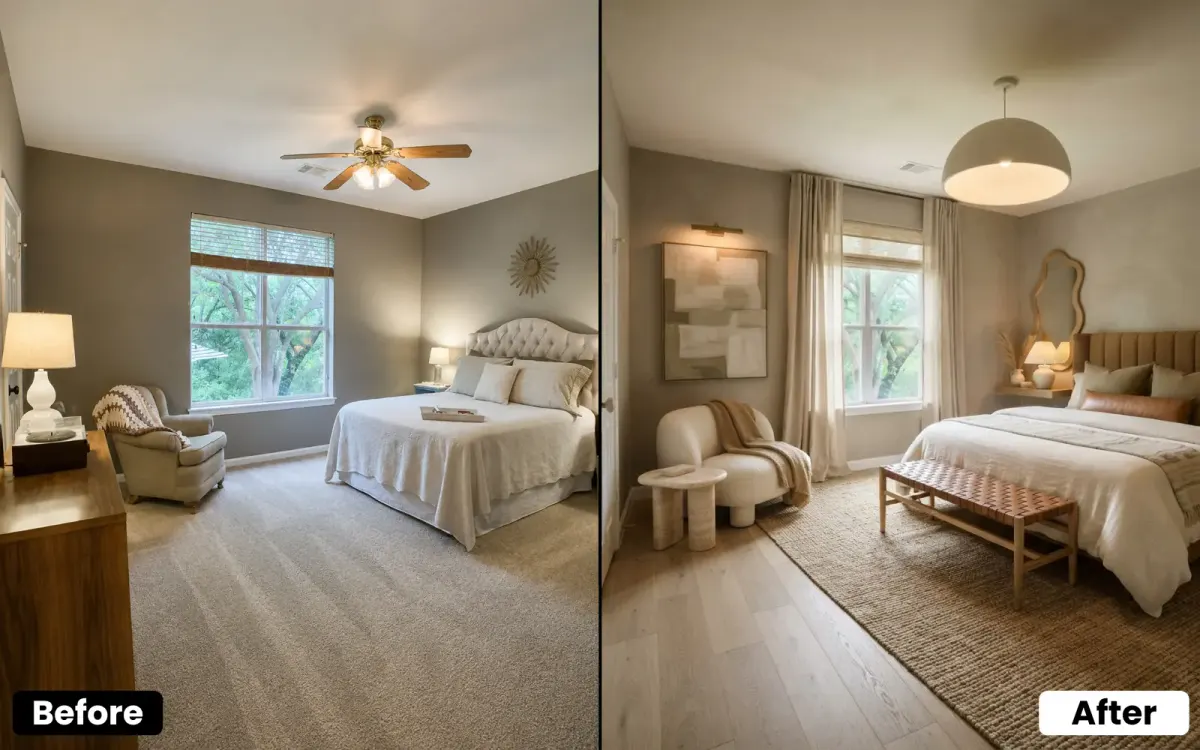
The Best AI Interior Design Apps in 2026
1. House AI, best all-round photo-to-design app
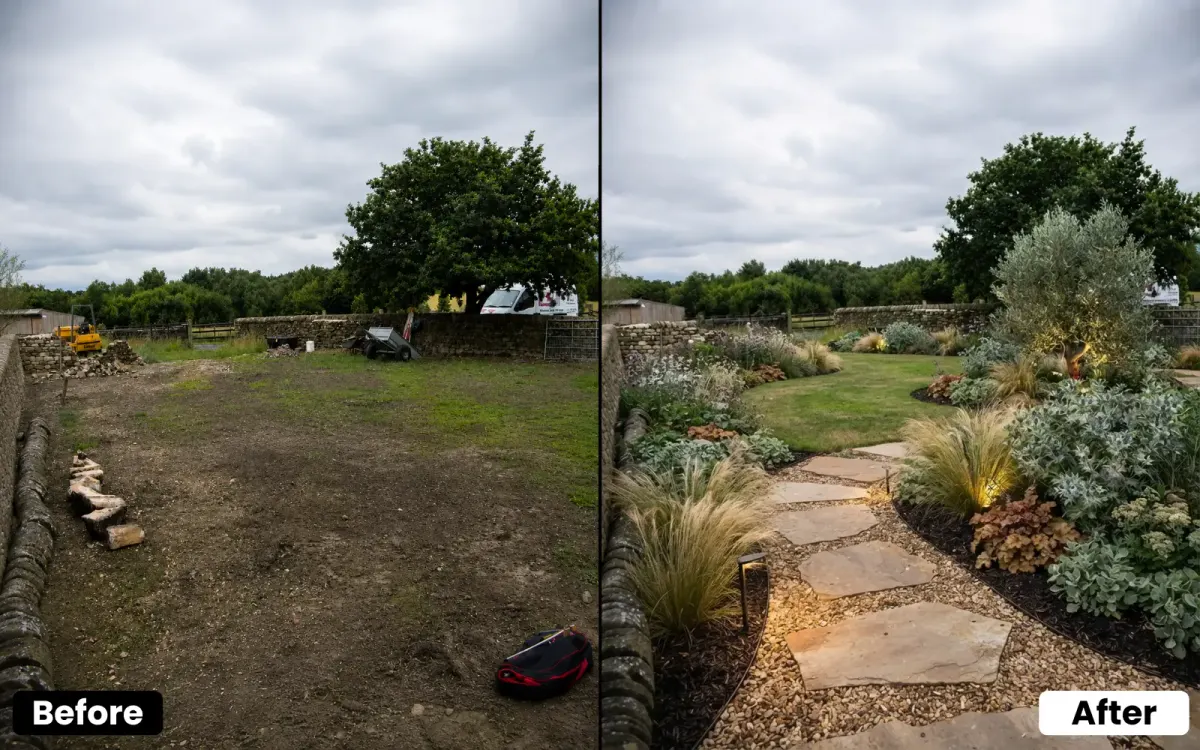
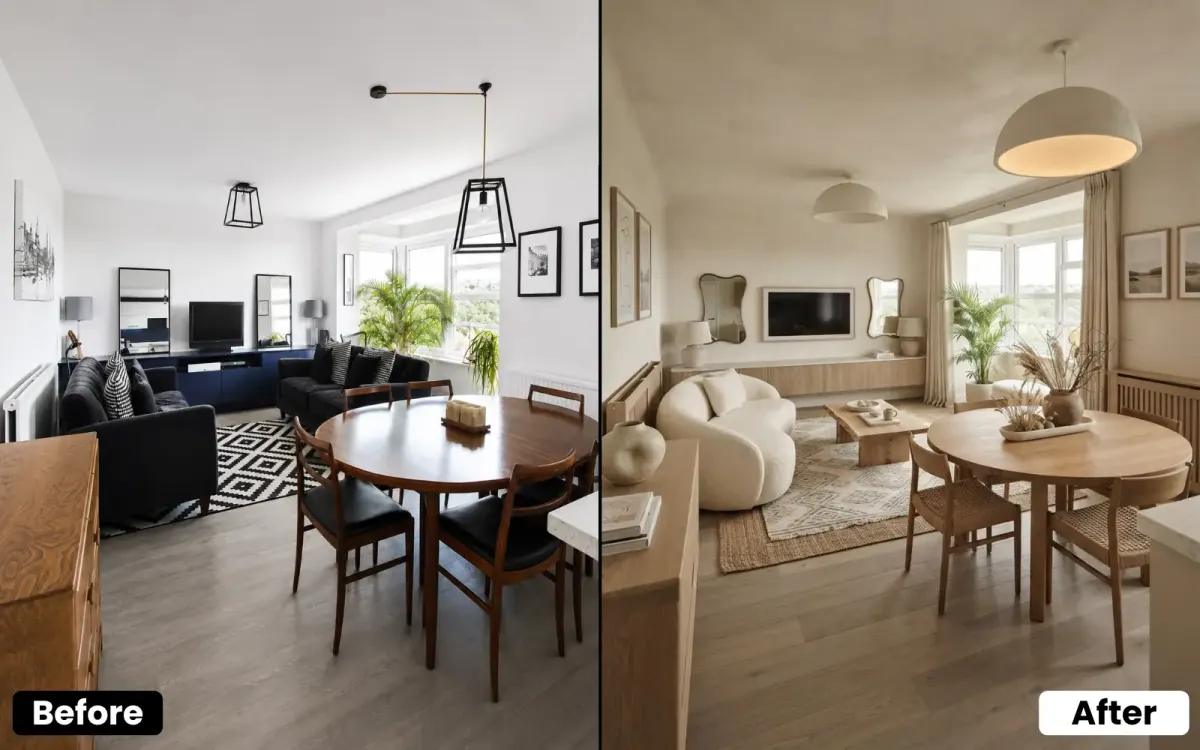
One photo in, a photorealistic redesign out, and not just for interiors. Exterior facades, garden landscaping, wall paint and flooring each get a dedicated tool, plus a Style Transfer mode that copies the look of any reference photo onto your room, and Furniture Replace / Cleanup for surgical edits. Renders land in roughly 15–25 seconds, a structure-preserving mode keeps your walls and windows honest, and the free daily generation is enough to properly test it. It's the one I recommend first for most people.
2. Style-transfer–focused tools, best when you already have a reference
If you've saved a hotel lobby or a Pinterest living room you're obsessed with, style-transfer apps apply that exact palette, materials and mood onto your own room photo. Narrower than a full suite, but the fastest route from 'I want THIS' to 'here's what THIS looks like in my house.'
3. Masked-editing tools, best for one specific change
Sometimes you don't want a whole new room, you want that one dated sofa gone. Object-removal and furniture-replace apps let you mark a single item and erase or swap it while the rest of the photo stays untouched. Great for decluttering listing photos or testing a single purchase.
4. Pro / designer-oriented suites, best for spec work
Heavier tools aimed at professionals add mood boards, 3D floor plans, product sourcing and client sharing. More powerful, but a real learning curve and usually a subscription, overkill if you just want to see your bedroom in Japandi before you buy a rug.
5. General image generators, best for wild, unrealistic ideas
All-purpose AI image tools can produce gorgeous interiors, but they don't redesign your actual room, they invent a new one from a text prompt. Fun for inspiration and impossible spaces; frustrating when you need your real living room, to scale, from the real camera angle.
Quick Comparison
| App type | Best for | Free tier | Standout |
|---|---|---|---|
| House AI | All-round photo redesign (interior, exterior, garden, walls, floors) | Yes, free daily generation | One photo → photorealistic result in ~20s |
| Style-transfer tool | Copying a reference look onto your room | Usually limited | Match an exact aesthetic fast |
| Masked-editing tool | Removing or swapping one object | Usually limited | Surgical edits, rest untouched |
| Pro designer suite | Professional spec + client work | Trial only | Mood boards, 3D plans, sourcing |
| General image generator | Inspiration / impossible spaces | Varies | Unlimited creative freedom |
Bonus: Shop the Look, Not Just See It
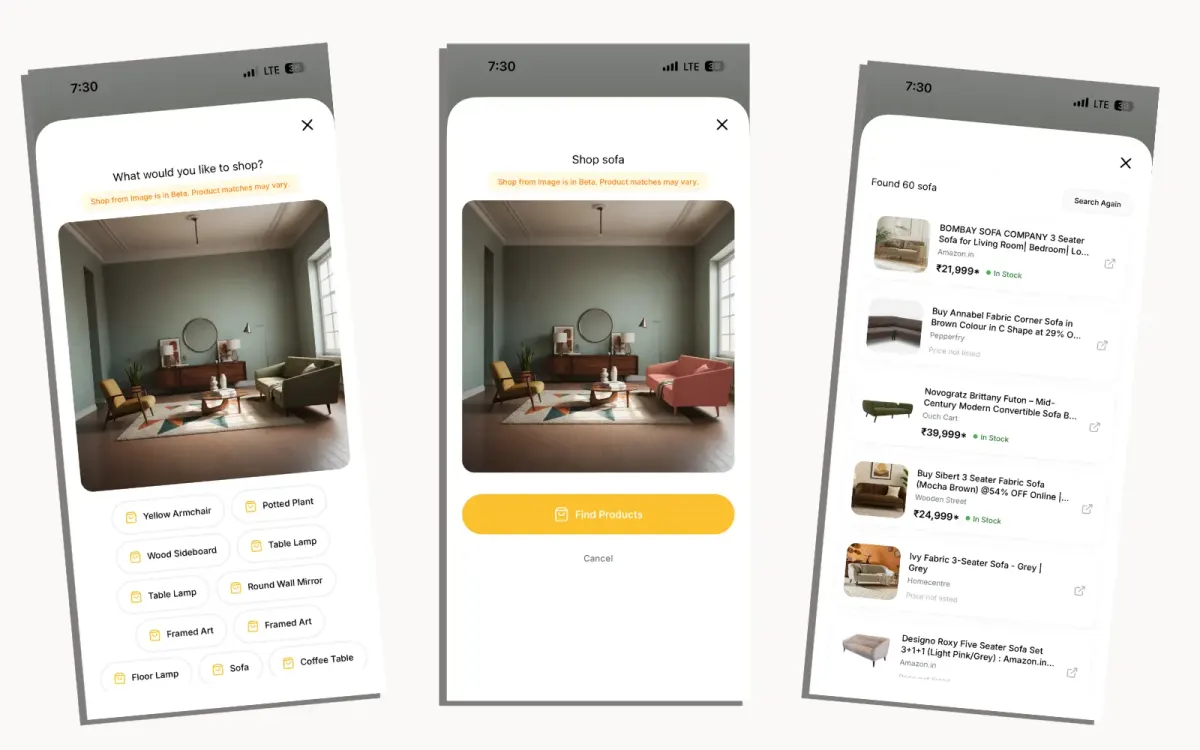
The newest thing separating the best apps from the rest isn't prettier renders, it's what happens after. House AI's Shop from Image reads a room photo, detects the individual furniture pieces, and finds real, in-stock products that match, with prices and direct links to retailers like IKEA, Amazon and Wayfair. So the render isn't just inspiration you can't act on; it's a shortlist you can actually buy. That closes the oldest gap in interior design: loving a look and having no idea where to get it.
How to Choose the Right One for You
Match the tool to the job. Redesigning your own place and want one app that does everything? Start with House AI. Chasing a specific look you already found? A style-transfer tool. Just need one ugly thing gone from a photo? A masked-editing tool. Billing clients and producing deliverables? A pro suite. Only after inspiration with no real room? A general generator. Most homeowners never need more than the first option.
How Much Do AI Interior Design Apps Cost in 2026?
For perspective: a traditional interior designer runs roughly $50–$200 an hour, and a single-room concept is often $500–$2,000 before you buy anything. AI apps cluster into three tiers, free (a few generations a day, sometimes watermarked), subscriptions around $10–$20/month for unlimited use, and one-off credit packs in between. House AI, for example, gives a free daily generation to start and works out to well under a dollar a day on the yearly plan. For the cost of one designer hour you get a year of unlimited experiments, which is why AI has quietly changed the economics of the 'what if?' stage.
Tips to Get Better Results From Any App
- Shoot in landscape from a corner or doorway, more visible room gives the AI more to work with
- Use daylight; harsh evening shadows confuse depth estimation
- Keep the camera level so furniture doesn't come out tilted
- Try a structure-preserving mode first, then a full-renovation mode for bolder ideas
- Generate 3–5 variations before judging a style, the second attempt is often the keeper
- Pick a color-palette option instead of writing long prompts; it's more reliable
FAQ: Best AI Interior Design Apps
What is the best AI interior design app in 2026?
House AI is the best all-round choice for most people, it redesigns your real room from a single photo in about 15–25 seconds and covers interiors, exteriors, gardens, walls and flooring in one app, with a free daily generation to try it. Style-transfer, masked-editing, and pro-designer tools are better only for narrower, specific jobs.
Is there a free AI interior design app?
Yes. Most quality apps offer a free tier, usually a limited number of generations per day. House AI includes a free daily generation, which is enough to redesign a room and decide whether the tool fits your project before paying anything.
Can AI redesign a room from just one photo?
Yes, that's the core of a modern AI interior design app. You upload one photo, pick a style, and it returns a photorealistic version of that same room with new finishes and furniture, keeping your real windows, layout and camera angle.
Do AI interior design apps work for exteriors and gardens too?
The best ones do. House AI ships dedicated tools for exterior facades, garden landscaping, wall paint and flooring, each tuned to change only that surface and leave the rest of the photo alone. Many single-purpose apps only handle interiors.
Are the results realistic or do they look fake?
In 2026 they're genuinely realistic when the app preserves your room's real perspective and lighting. The usual giveaway isn't the technology, it's over-styling. Furnish with restraint and keep the scale honest and results read as a real home.
Do I need any design skills to use one?
No. A normal phone photo and a couple of style clicks is the entire skill set, no measuring, no 3D modeling, no design background. That's the whole point of photo-based AI design.
Will AI interior design apps replace interior designers?
For visualization, largely yes. For structural work, sourcing and project management, no. The common pattern now is homeowners arriving at a designer's first meeting with AI renders instead of Pinterest boards, which saves everyone time.
How much do AI interior design apps cost?
Expect free tiers (a few daily generations), subscriptions around $10–$20/month for unlimited use, or one-off credit packs. House AI's unlimited plan works out to well under a dollar a day on the yearly option, a fraction of a single hour with a human designer.
The Bottom Line
There have never been more AI interior design apps, and most people only need one. If you want a single tool that turns one photo into a photorealistic redesign across every surface of your home (and lets you try it free today) start with House AI, and reach for the specialists only when you have a specific job they do better. The best app is the one you'll actually open on a Sunday afternoon when you're staring at a room thinking 'what if?', and get an answer before the kettle boils.
Design any room, shop or space with House AI in less 30 seconds! It's free!
Get Started Today