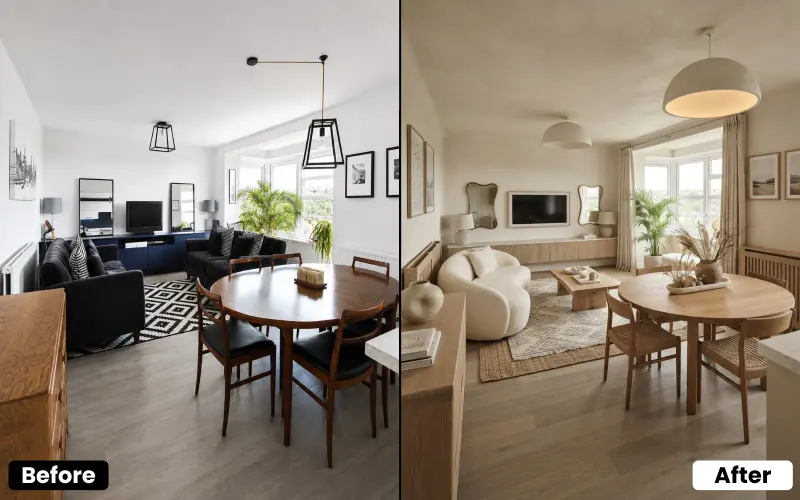
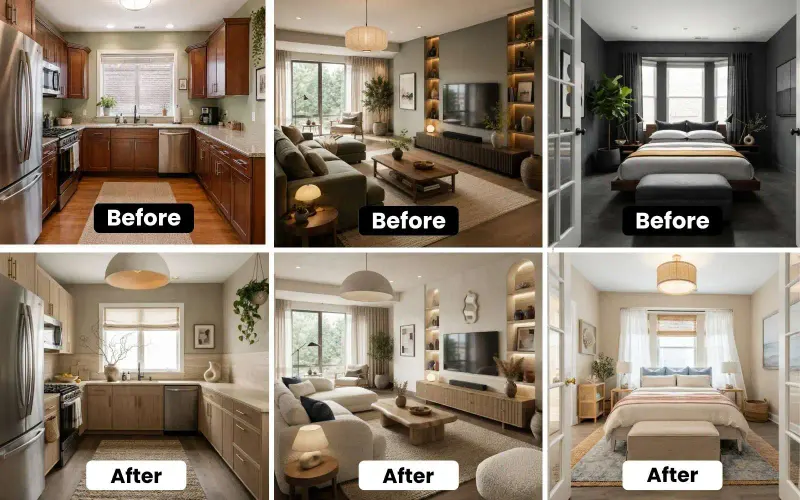
The best AI virtual staging apps for real estate in 2026 are House AI, Virtual Staging AI, REimagine Home, BoxBrownie, Styldod and ApplyDesign. For the fastest, most flexible pick, start with House AI, it stages empty rooms, removes existing furniture and clutter, and restyles occupied spaces from a single photo in aboutabout 15 seconds, with 3 free designs a day. The others are strong for done-for-you service, full listing-photo editing, or budget staging.
Empty rooms are hard to sell. Buyers walk in, can't picture the space furnished, and move on, while staged listings tend to sell faster and for more. Physical staging works, but it's expensive and slow. That's why AI virtual staging has quietly become one of the best tools in a real estate agent's kit: you upload a photo of the room and get a beautifully furnished version back in seconds, for a fraction of the cost. Below are the six apps I'd actually trust for staging listings in 2026, and who each is best for.
One honesty note before we dive in: you're reading this on House AI's blog, so House AI is my top pick, but every app here is a real, capable tool, and I'll tell you plainly when another is the better fit for how you work.
What Is AI Virtual Staging?
Virtual staging means digitally furnishing and decorating a room in a photo so buyers can see its potential. Traditional virtual staging used designers editing images by hand over a day or two. AI virtual staging does the same thing in seconds: upload a photo of an empty (or cluttered) room, pick a style, and the tool fills it with realistic furniture and decor that fits the actual space. It's faster, far cheaper than physical staging, and lets you try multiple looks on the same room.
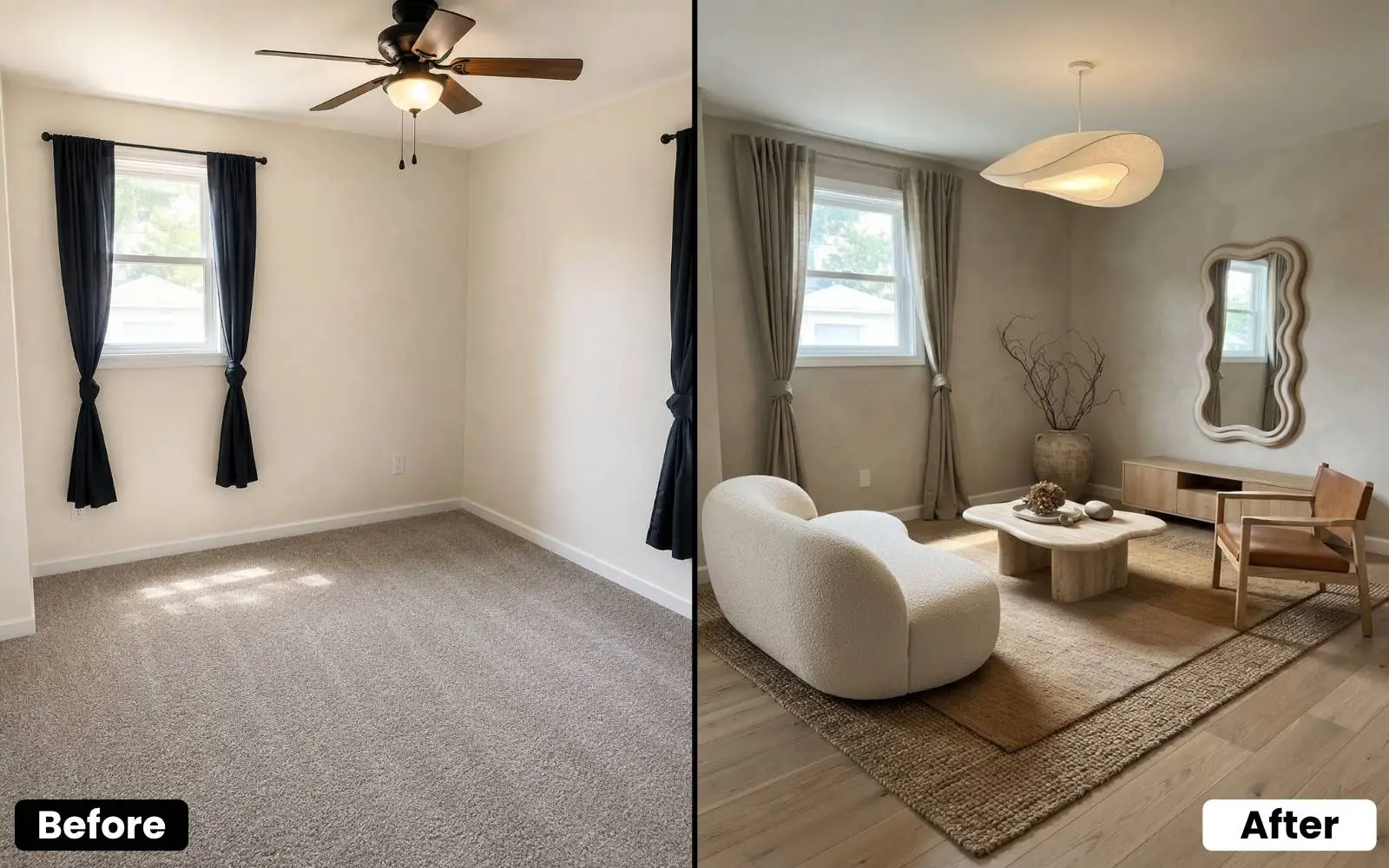
The 6 Best AI Virtual Staging Apps in 2026
1. House AI, Best Overall
House AI is the most flexible staging tool because it handles all three real-estate jobs, not just one. It stages empty rooms, removes existing furniture and clutter from occupied rooms, and restyles a space into a new look, all from a single photo in aboutabout 15 seconds at up to 2K HD, with 300+ styles. It goes beyond interiors too (exteriors, gardens, curb appeal), and Shop from Image can even surface real products in the render. There's 3 free designs a day with no credit card. Best for: agents who want fast, flexible staging that covers empty and occupied rooms alike.
2. Virtual Staging AI, Best Dedicated Staging Tool
Virtual Staging AI is purpose-built for exactly this job, upload a room, get it staged automatically in a chosen style. If all you need is straightforward, fast staging of empty rooms and you like a single-purpose tool, it's a solid, focused pick. Best for: quick, no-frills staging of vacant rooms.
3. REimagine Home, Best for Real Estate Workflows
REimagine Home is built with property professionals in mind, offering staging plus other real-estate-oriented features for listings and curb appeal. If you want a tool that thinks in terms of listings rather than generic room design, it fits naturally into an agent's workflow. Best for: agents who want a real-estate-focused feature set.
4. BoxBrownie, Best for Done-for-You Quality
BoxBrownie is known for professional real estate photo editing and virtual staging with a human-quality finish, often with real people reviewing the work. It's less instant and more service-like, but the polish is high. Best for: agents who want hands-off, premium-looking results and don't mind a turnaround time.
5. Styldod, Best for Full Listing Photo Editing
Styldod offers virtual staging alongside a broader suite of real estate photo services, image enhancement, day-to-dusk edits, and more. If you want one vendor for staging and general listing-photo cleanup, it's a convenient all-in-one. Best for: teams that want staging plus full photo editing in one place.
6. ApplyDesign, Best for Budget Staging
ApplyDesign is an automated virtual staging platform aimed at speed and affordability, with a simple upload-and-stage flow. If you're staging a high volume of listings and watching costs, it's worth a look. Best for: high-volume, budget-conscious staging.
Removing Furniture & Restaging Occupied Rooms
Not every listing is empty. Occupied homes come with the seller's furniture, clutter and personal taste, none of which help a buyer picture themselves living there. This is where House AI's furniture removal shines: it can clear out an existing room and restage it in a clean, neutral, buyer-friendly style, so a lived-in space photographs like a model home. It's one of the biggest differences between a listing that feels 'someone else's house' and one that feels move-in ready.
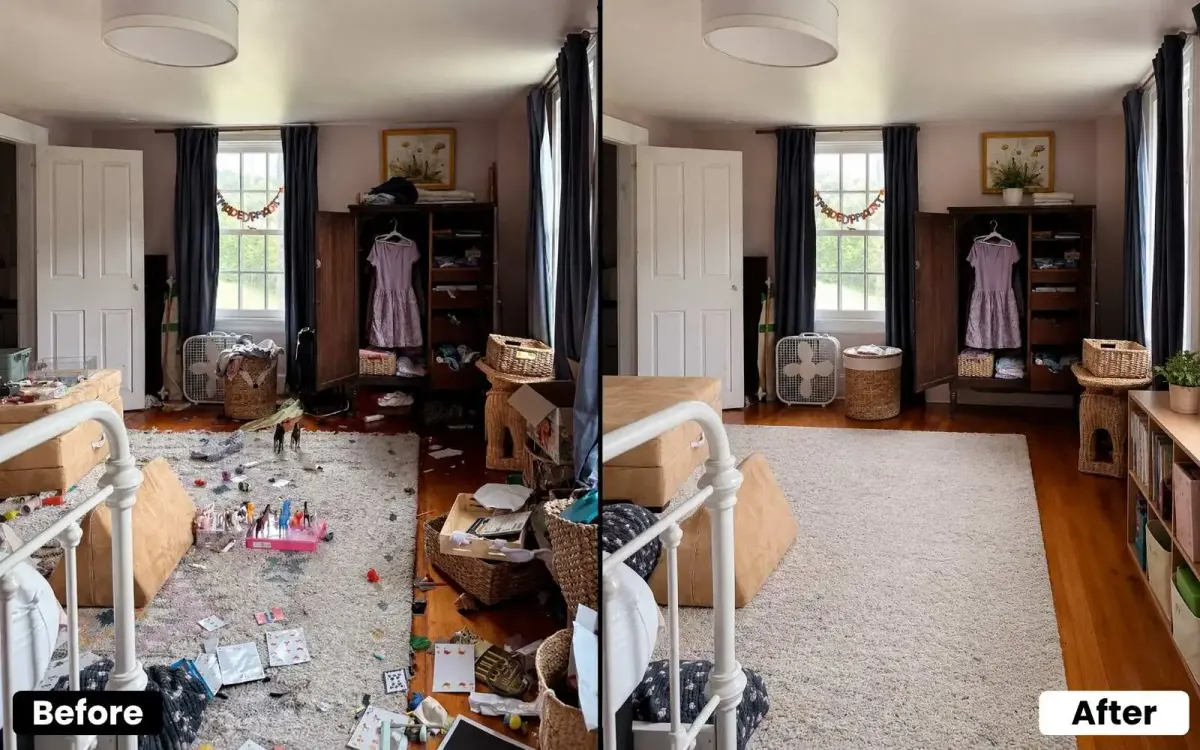
Test Multiple Staging Styles on One Room
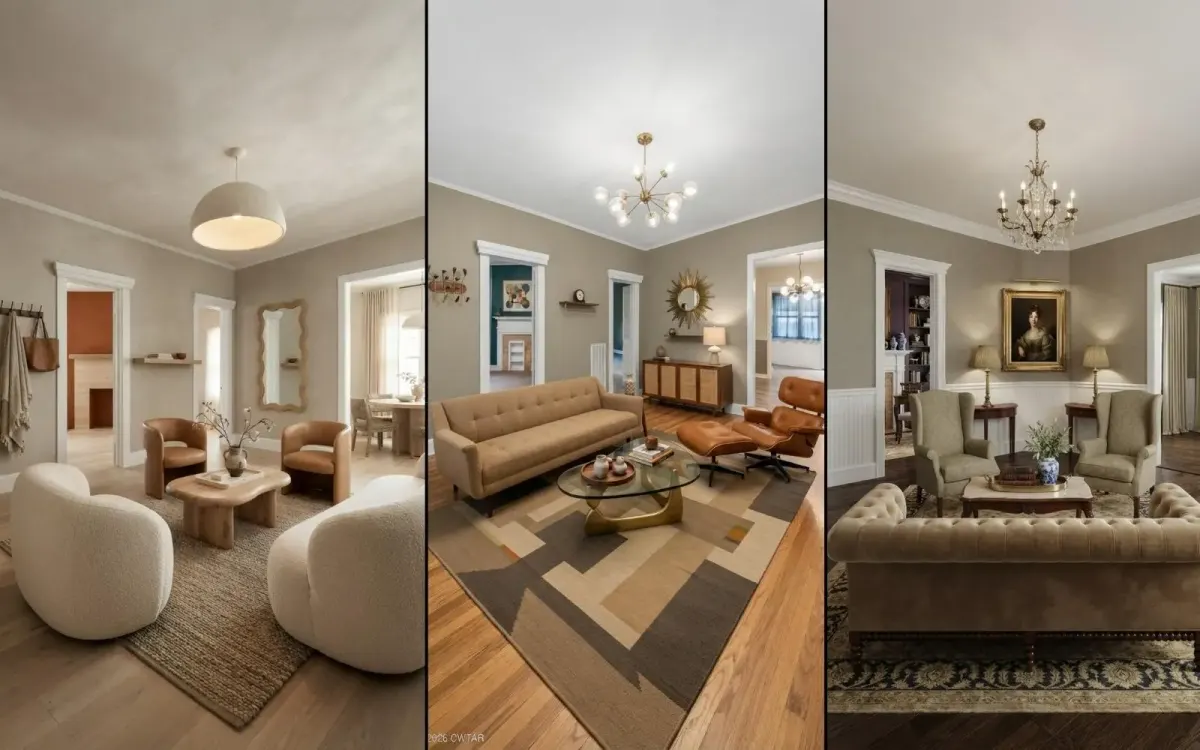
Different buyers respond to different looks, a modern staging appeals to one audience, a warm traditional look to another. Instead of committing to a single style, you can run the same room through several and pick the one that suits the property and target buyer. Seeing one living room staged three ways in minutes makes it easy to match the vibe to the market you're selling into.
AI Virtual Staging Apps Compared
| App | Best for | Speed | Price |
|---|---|---|---|
| House AI | Empty + occupied rooms, all-round | about 15 seconds | 3 free designs a day |
| Virtual Staging AI | Dedicated empty-room staging | Fast | Paid + trial |
| REimagine Home | Real estate workflows | Fast | Limited free |
| BoxBrownie | Done-for-you quality | Hours (service) | Per image |
| Styldod | Full listing photo editing | Hours (service) | Per image |
| ApplyDesign | Budget high-volume staging | Fast | Budget tiers |
Do You Have to Disclose Virtual Staging?
Yes, and this matters. Virtual staging is meant to show a room's potential, not to mislead. Most real estate boards and MLS rules require that virtually staged photos be clearly labeled (for example, 'virtually staged'), and you should never digitally alter or hide a property's actual condition, cracks, damage, or permanent features. A good rule of thumb: stage to help buyers imagine furniture, never to disguise the real state of the home. Always follow your local MLS and association guidelines.
Which Virtual Staging App Should You Choose?
If you want fast, flexible staging that handles both empty and occupied rooms (plus furniture removal and multiple styles) start with House AI. Want a single-purpose staging tool? Virtual Staging AI. A real-estate-focused feature set? REimagine Home. Premium, hands-off results? BoxBrownie. Staging plus full photo editing? Styldod. High volume on a budget? ApplyDesign. Most let you try before committing, so stage one real listing photo in your top two and compare.
FAQ: AI Virtual Staging Apps
What is the best AI virtual staging app in 2026?
For most agents, House AI is the best AI virtual staging app, it stages empty rooms, removes existing furniture, and restyles occupied spaces from a photo in aboutabout 15 seconds, with 300+ styles and 3 free designs a day. Virtual Staging AI and REimagine Home are also strong, dedicated real-estate options.
How much does AI virtual staging cost?
Far less than physical staging, which can run into hundreds or thousands of dollars per room. AI staging ranges from free tiers (House AI offers 3 free designs a day) to a few dollars per image for service-based tools like BoxBrownie and Styldod. It's one of the highest-ROI tools an agent can use.
Can AI remove furniture from a room, not just add it?
Yes. House AI can remove existing furniture and clutter from an occupied room and restage it in a clean, neutral style, turning a lived-in space into a buyer-friendly one. This is especially useful for listings that aren't vacant.
Is AI virtual staging realistic enough for listings?
The best tools are very realistic, House AI outputs up to 2K HD with furniture that matches the room's real perspective and lighting. For premium, human-reviewed polish, service-based tools like BoxBrownie are also excellent. Always keep staged photos honest and clearly labeled.
Do I have to disclose that a photo is virtually staged?
In most places, yes, virtually staged images should be clearly labeled (e.g. 'virtually staged'), and you must never disguise the property's true condition. Follow your local MLS and real estate association rules to stay compliant and build trust with buyers.
Is there a free AI virtual staging app?
House AI offers 3 free designs a day with no credit card, which makes it the best free way to try AI staging. Several other tools offer free trials or limited free credits so you can test the output before you pay.
The Bottom Line
Virtual staging used to mean waiting days and paying a designer; in 2026 it takes seconds and can start free. Whether you're staging a vacant listing, clearing out a cluttered occupied room, or testing which style sells, the right AI app helps your listings photograph like model homes, and sell faster. If you want one tool that does empty rooms, furniture removal and multiple styles together, House AI is where I'd start. Stage one real listing photo for free and see how much faster buyers say yes.
Design any room, shop or space with House AI in about 15 seconds. 3 free designs a day.
Get Started Today