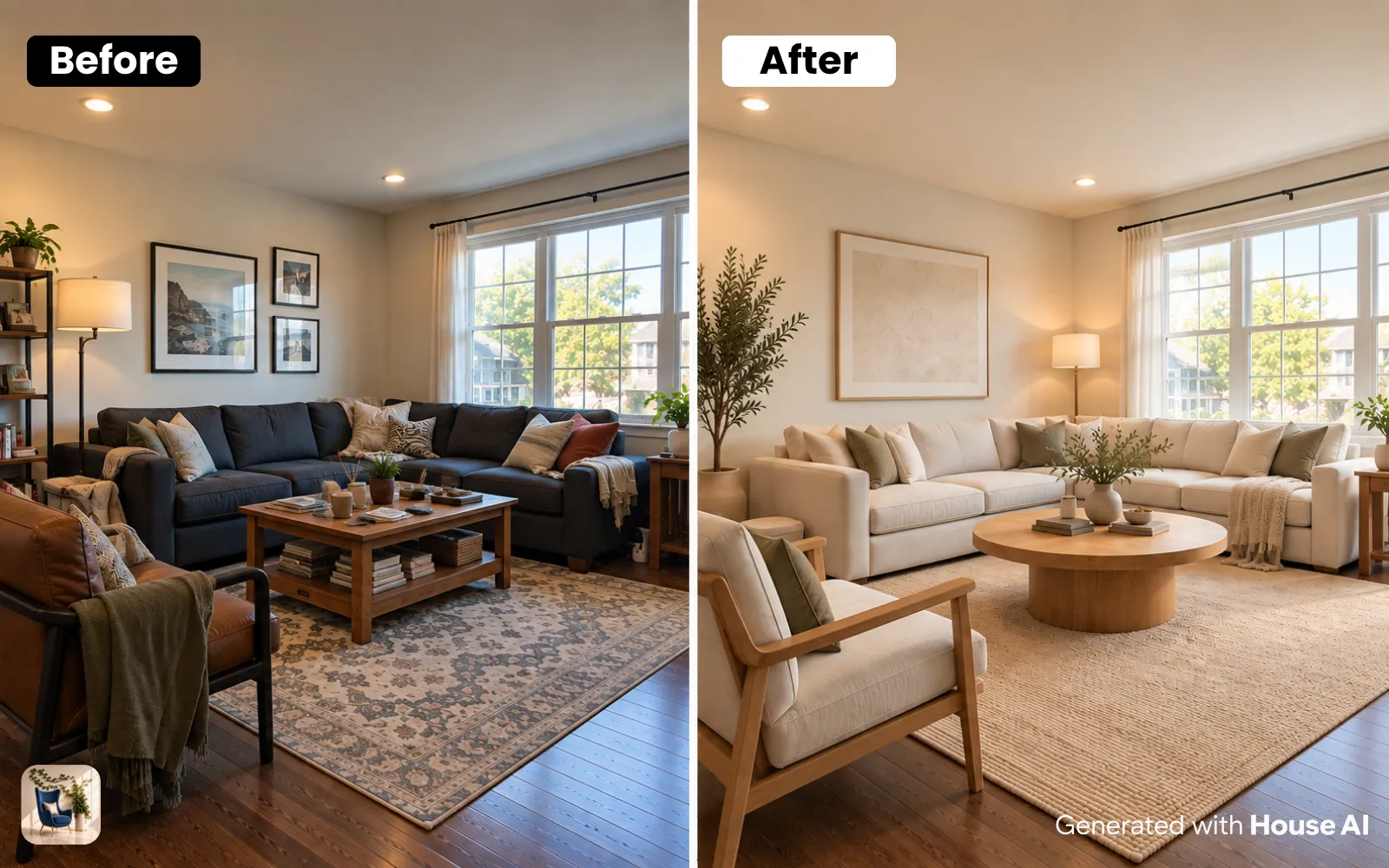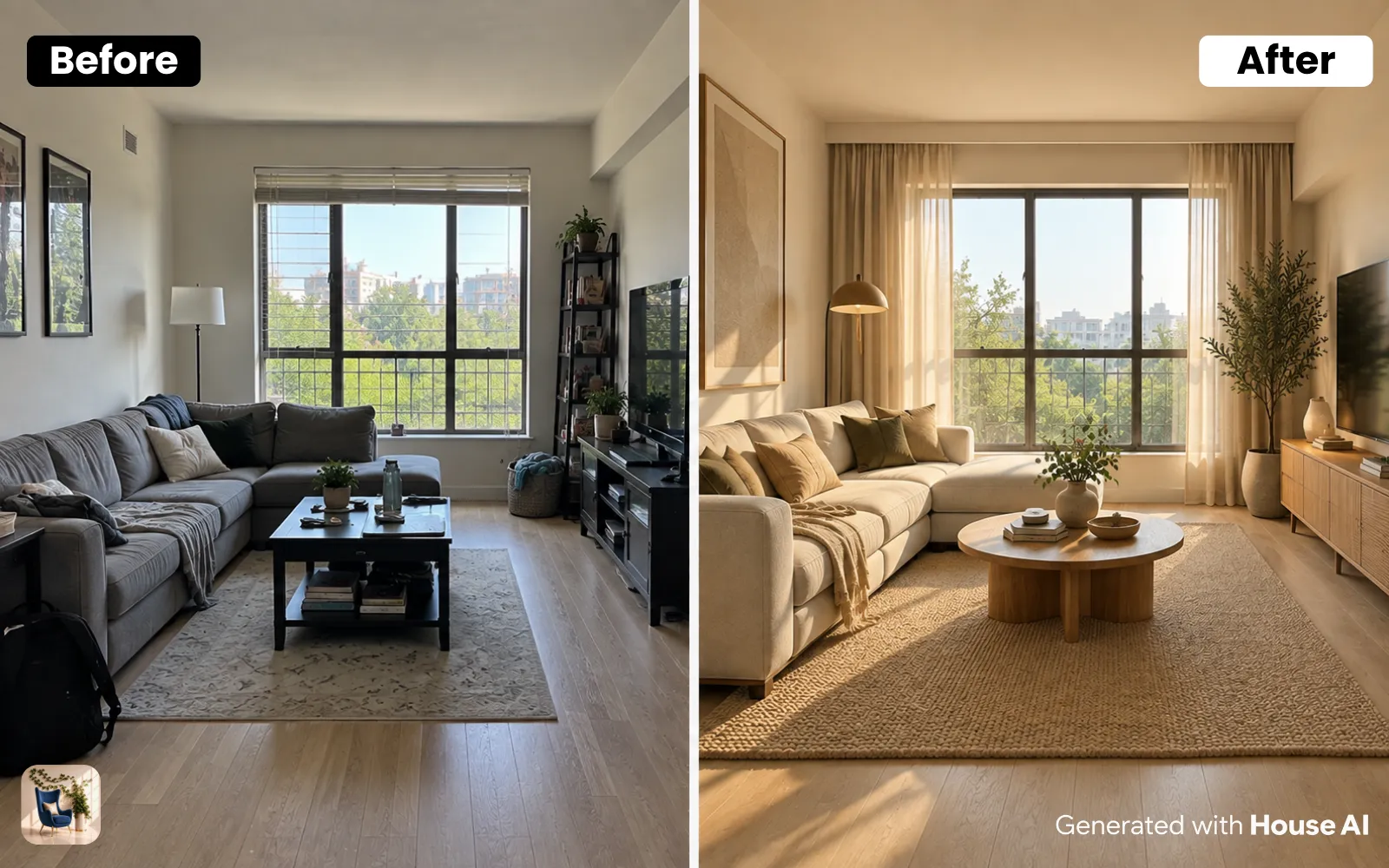
Furniture Replace lets you swap any single item in a photo of your room, mark the old sofa, describe or show the new one, and House AI regenerates the photo with the replacement blended in photorealistically while everything else stays untouched. It is the closest thing to try-before-you-buy that furniture shopping has ever had.
What Exactly Does Furniture Replace Do?
Unlike a full room redesign, Furniture Replace is surgical. You select one object (a sofa, a dining table, an armchair) and only that object changes. The lighting, the floor, the rest of your furniture: pixel-identical. Under the hood it combines object segmentation (the same SAM-based masking the House AI mobile app uses) with inpainting, so the new piece inherits your room's real shadows and perspective.
How to Use It (Step by Step)
Upload a photo of the room
Any normal phone photo works. Make sure the furniture you want to replace is fully visible, no cropped legs.
Mark the item
Tap Auto-mask and House AI detects the objects in your photo, pick 'sofa' and it is masked in one click. Prefer control? Paint the mask by hand with the brush. You can select several objects at once.
Describe or show the replacement
Type 'a green velvet armchair', or switch to photo mode and upload a picture of the actual product you are considering.
Generate and compare
Fifteen to twenty seconds later, your room has new furniture. Generate a few options and compare them against the original side by side.
What Is It Best At? (And Honest Limits)
Best at: sofas, chairs, tables, beds, large, clearly visible items with simple boundaries. The photo mode is brilliant for testing a real product listing inside your real room before checkout. Honest limits: heavily occluded items (a chair half-buried in laundry) mask poorly, and very reflective or transparent furniture can confuse the blend. Take thirty seconds to tidy the shot and results jump noticeably.
"Mark the sofa, type what you wish was there instead, and the room shows you. That is the entire learning curve."
Design any room, shop or space with House AI in less 30 seconds! It's free!
Get Started TodayFAQ: Furniture Replace
Can I replace multiple items at once?
Yes, the auto-mask picker is multi-select, so you can mask the sofa and the coffee table together and describe their replacements in one generation.
Can I use a photo of furniture from a shop?
Yes. Photo mode sends your reference image along with the mask, so the generated replacement matches the actual product you are considering buying.
Does the rest of my room change?
No, that is the point of the mask. Only the white-marked region regenerates; everything outside it is preserved exactly.
Is Furniture Replace free?
The free tier includes daily generations with a watermark. Unlimited replacements come with the Pro plan, which covers every House AI tool.
The next time you hover over 'add to cart', put the sofa in your actual living room first.
Design any room, shop or space with House AI in less 30 seconds! It's free!
Get Started Today