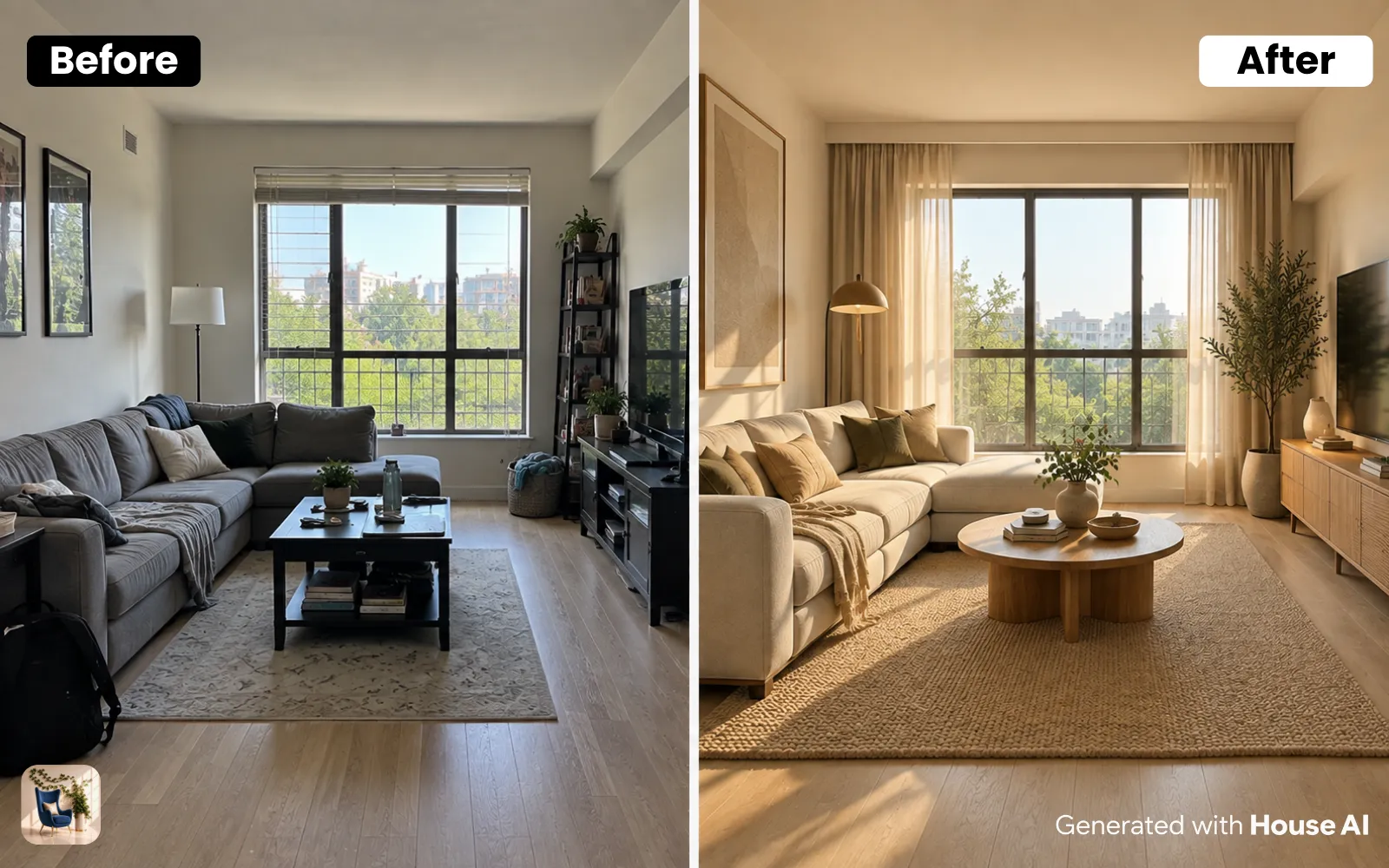
The best Planner 5D alternative depends on what you start with. If you have a photo of your room and want to see it redesigned, House AI does that in about 15 seconds, with 3 free designs a day. If you need a measured floor plan, RoomSketcher, Homestyler, SketchUp, and the free, open-source Sweet Home 3D are the closest matches.
Planner 5D is a home design tool built around floor plans and 3D models. You draw the room, place furniture from its catalog, and render the result. That works well if you know your measurements and like building a room piece by piece. A lot of people searching for an alternative want something else: a faster way to see the room they already live in.
What Planner 5D does, and why people look elsewhere
Planner 5D lets you draw a floor plan, furnish it in 2D and 3D, and render it on the web, iOS, Android, Windows, macOS, and Apple Vision Pro. Its free plan opens 50% of the furniture catalog. Premium costs $19.99 a month or $59.99 a year and opens the full catalog of more than 10,000 items. Professional costs $49.99 a month or $399.99 a year and adds unlimited 4K renders, CAD export, and 360-degree walkthroughs.
Planner 5D has added AI tools too. Its AI Studio can restyle a room photo, and the paid plans come with a monthly allowance of AI Studio credits: 100 on Premium and 1,000 on Professional.
So why switch? Most reasons come down to the starting point. Planner 5D asks you to build a model of your room before you can style it. If all you want is to see your own living room in a new style this afternoon, drawing it wall by wall is a long way around. Others want a floor plan tool with a different price or a different set of features. Both groups are covered below.
The best Planner 5D alternatives at a glance
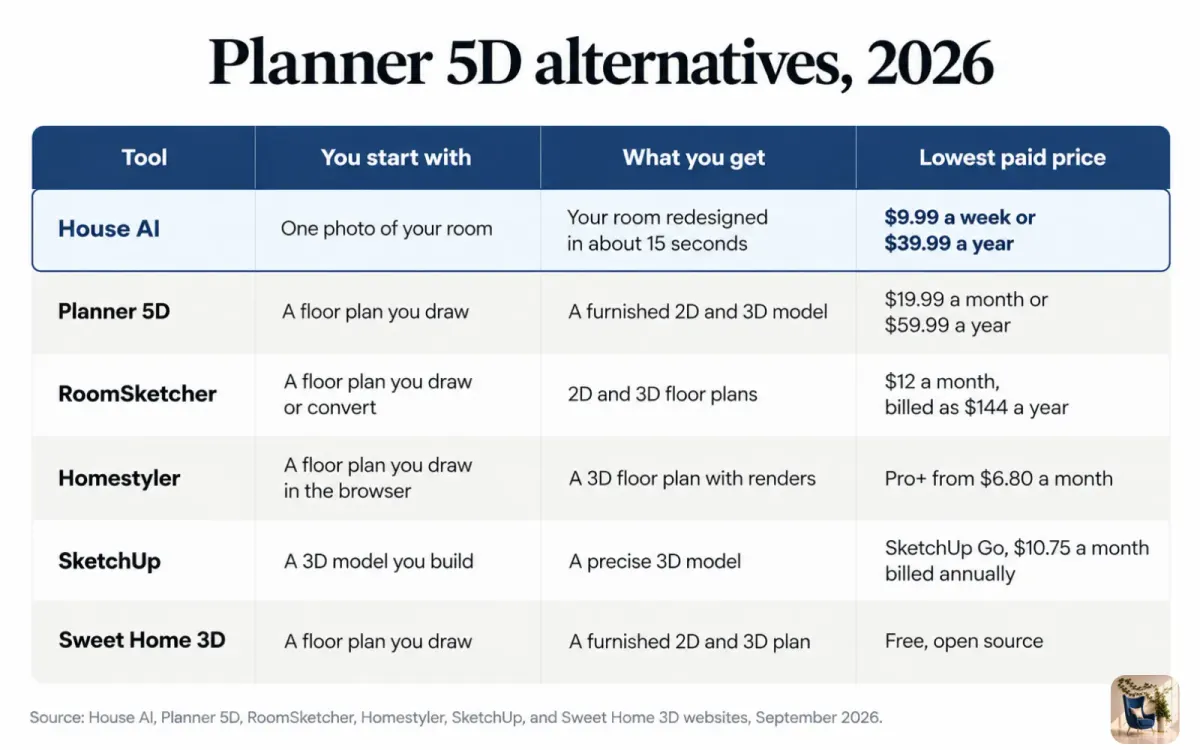
Each tool below was checked against its own website on September 23, 2026. House AI is listed first because it works from a photo of your real room, with no floor plan to draw.
| Tool | You start with | What you get | Free option | Lowest paid price |
|---|---|---|---|---|
| House AI | One photo of your room | Your real room redesigned in about 15 seconds, with furniture matched to real products | 3 designs per day | $9.99 a week or $39.99 a year |
| Planner 5D | A floor plan you draw | A furnished 2D and 3D model with renders | Free plan with 50% of the furniture catalog | $19.99 a month or $59.99 a year |
| RoomSketcher | A floor plan you draw or convert | 2D and 3D floor plans and 3D snapshots | Free plan with 2 credits and 1 AI floor plan conversion | $12 a month, billed as $144 a year |
| Homestyler | A floor plan you draw in the browser | A 3D floor plan with renders | Free Basic plan with unlimited 1K renders | Pro+ from $6.80 a month |
| SketchUp | A 3D model you build | A precise 3D model | Not listed on its pricing page | SketchUp Go at $10.75 a month, billed annually |
| Sweet Home 3D | A floor plan you draw | A furnished 2D and 3D plan | Free and open source | None, the app is free |
House AI: see your real room redesigned from one photo
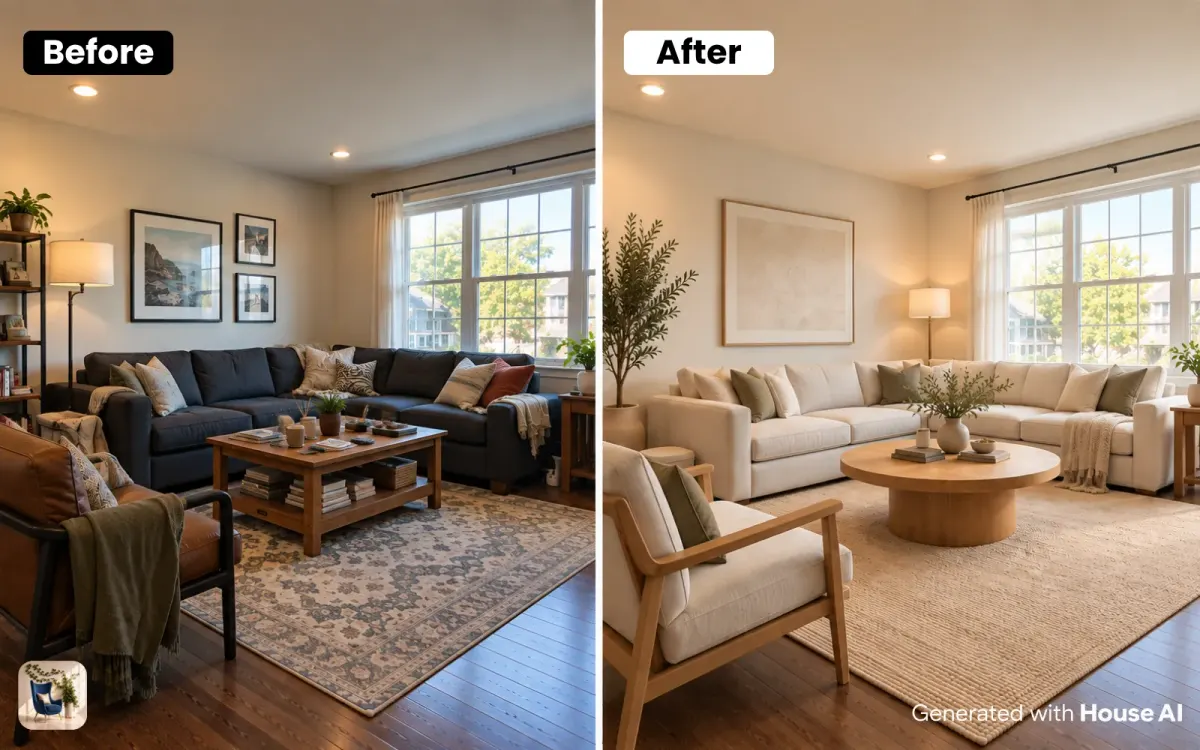
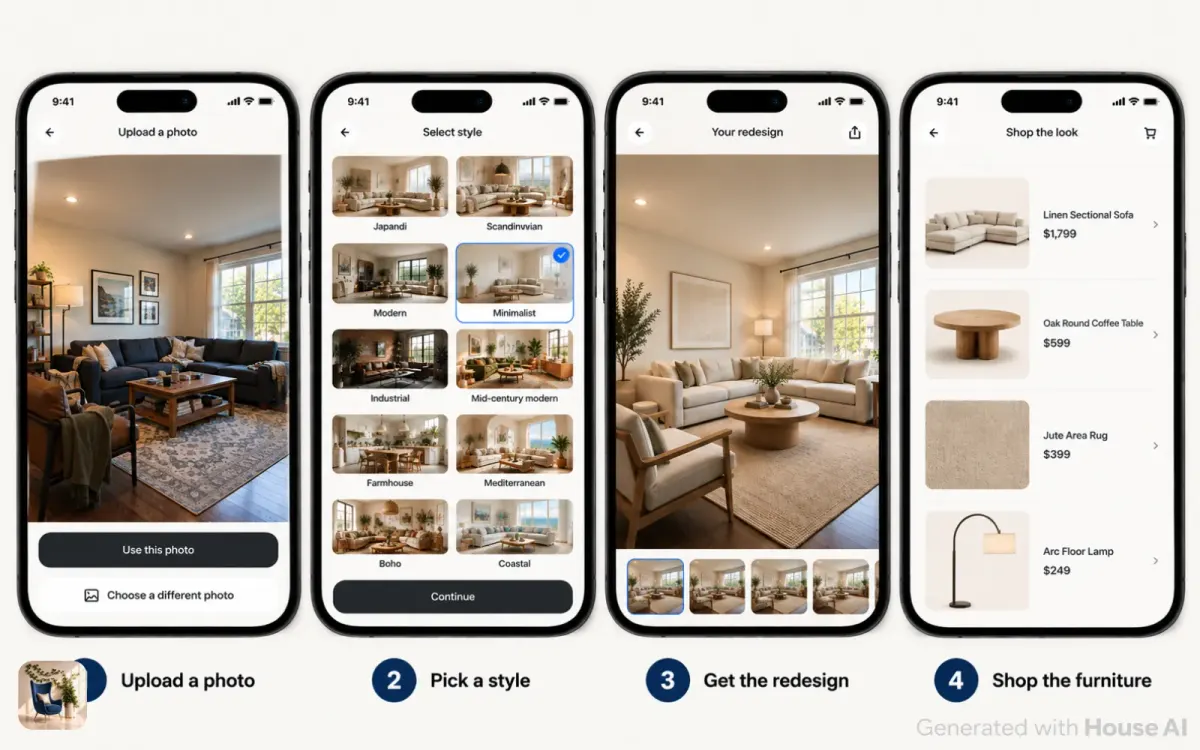
House AI is the Planner 5D alternative to use when the room already exists and you want to see it in a new style. You skip the floor plan. You take one photo, pick a style, and get your own room back redesigned in about 15 seconds on average.
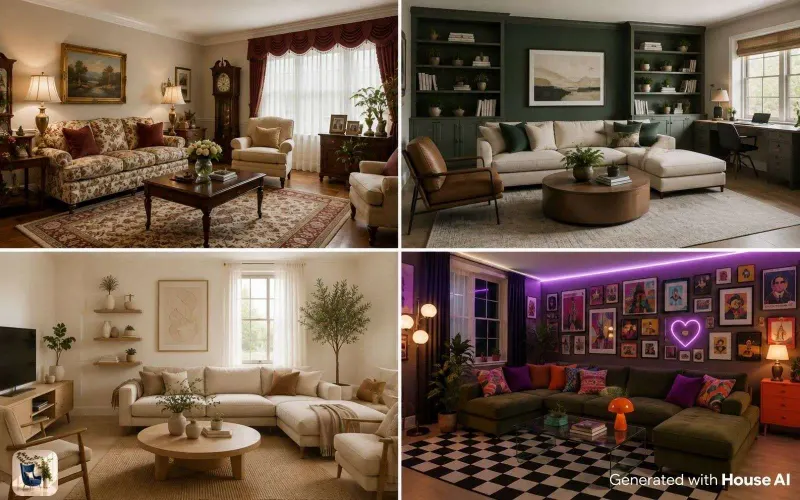
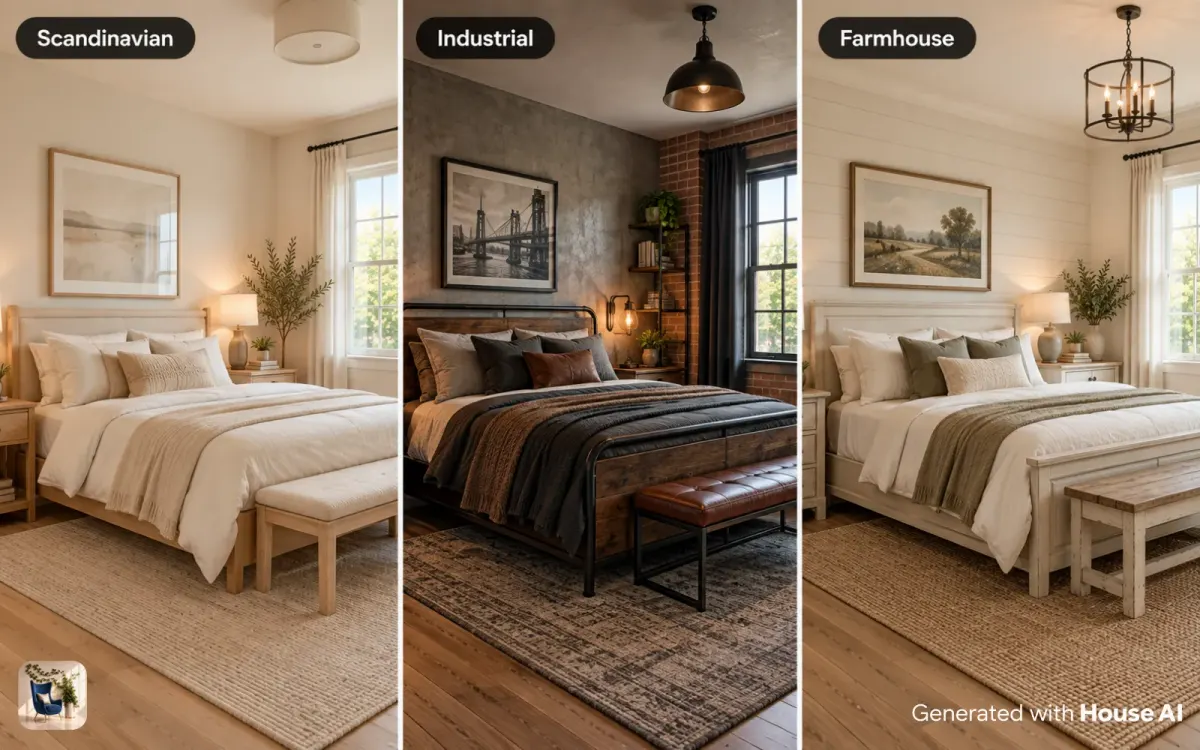
There are 300+ styles to choose from, including Japandi, Scandinavian, mid-century modern, industrial, and farmhouse. The furniture in each design is matched to real products from 330 retailers, including Amazon, IKEA, West Elm, Etsy, and Wayfair, so the picture turns into a list you can shop. The same app also handles exterior design, garden design, furniture replace, furniture cleanup, wall design, floor design, style transfer, and virtual staging.
Where House AI does better than Planner 5D: there is nothing to draw and nothing to measure before you see a result, the design starts from a photo of your actual room, and a full year costs $39.99 against $59.99 for Planner 5D Premium. Every user gets 3 free designs a day. House AI is available in 175+ countries, on the App Store and Google Play.
How to redesign a room without drawing a floor plan
This is the House AI flow from start to finish. It takes a few minutes, most of which is picking a style.
Step 1: Take one photo of the room
Stand in a corner and shoot toward the opposite corner in daylight, with the lights on. Get two walls, a window, and the floor in the frame.
Step 2: Upload the photo and pick the room type
Tell the app whether it is a living room, bedroom, kitchen, or another space, so it knows what furniture belongs there.
Step 3: Choose a style
Pick one of the 300+ styles from the grid. If you are not sure, start with the style closest to the furniture you already own.
Step 4: Generate and compare
The design comes back in about 15 seconds. Run the same photo in two or three styles and compare them side by side. The free tier covers three styles a day.
Step 5: Shop the design
Open the furniture list for the design you like and check each product against your own measurements before you order.
Floor plan tools that work like Planner 5D
If the floor plan itself is what you need, for a remodel, a move, or a contractor, these four tools are the closest swaps. Prices come from each company's own site, checked September 23, 2026.
RoomSketcher
RoomSketcher is built around floor plans. Its free plan includes 2 credits, 1 AI floor plan conversion, 2D and 3D floor plans, 3D snapshots, and AI renders. Pro costs $24 a month, or $12 a month billed as $144 a year, and adds 5 credits every month.
Homestyler
Homestyler runs as a 3D floor planner in the browser. The free Basic plan includes unlimited 1K renders and more than 100,000 free 3D models and materials. Pro+ starts at $6.80 a month and adds 2K and 4K renders, 180 AI credits a month, and watermark removal.
SketchUp
SketchUp is a general 3D modeling tool, used well beyond home design. SketchUp Go, for iPad and web, costs $10.75 a month billed annually. SketchUp Pro, with desktop modeling and LayOut, costs $33.25 a month billed annually. Expect a steeper learning curve than a room planner, because you build every shape yourself.
Sweet Home 3D
Sweet Home 3D is free, open-source software released under the GNU General Public License. It runs on Windows, macOS, and Linux, and in a web browser. You draw walls, drop in furniture, and see the plan in 3D. The latest version listed on its site is 7.5, updated May 5, 2025.
What each alternative costs over a year
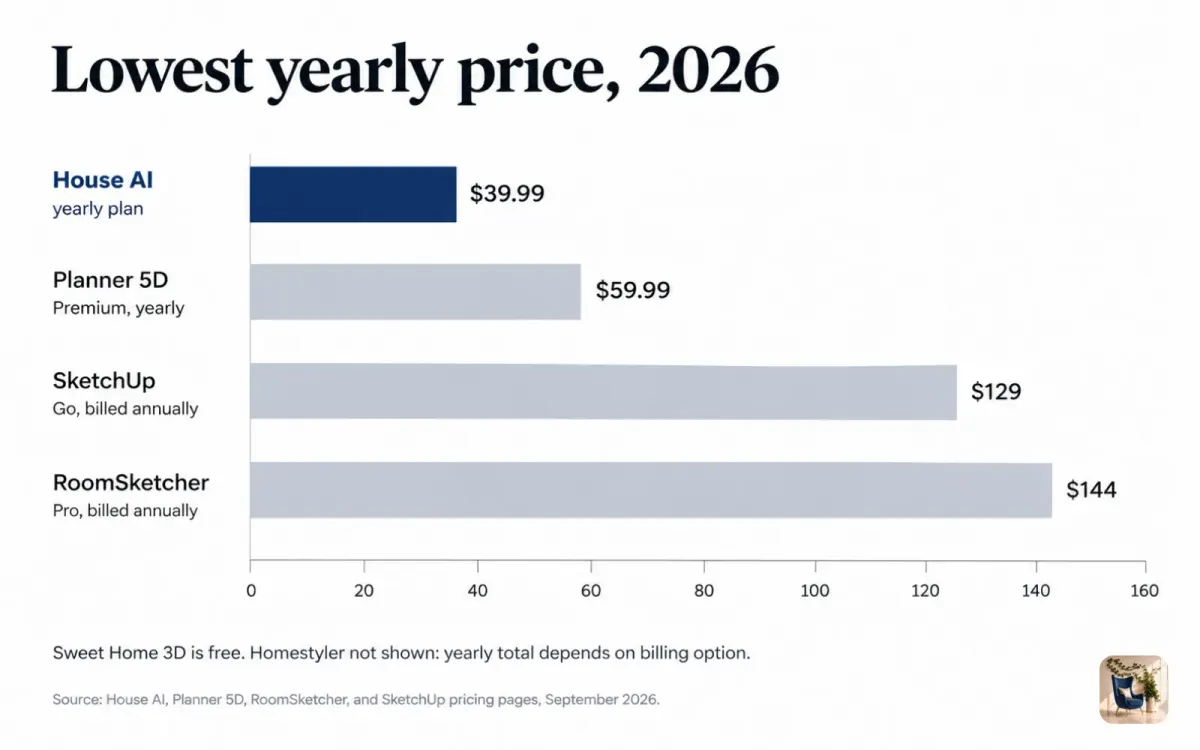
On yearly billing, House AI is the least expensive paid option in the table below. Sweet Home 3D is the only one that costs nothing at all.
| Plan | Short-term price | Price for one year |
|---|---|---|
| House AI | $9.99 a week | $39.99 |
| Planner 5D Premium | $19.99 a month | $59.99 |
| SketchUp Go | $10.75 a month, billed annually | $129 |
| RoomSketcher Pro | $24 a month | $144 |
| SketchUp Pro | $33.25 a month, billed annually | $399 |
| Planner 5D Professional | $49.99 a month | $399.99 |
| Sweet Home 3D | Free | Free |
Homestyler is left out of the yearly figures because its pricing page shows Pro+ as "from $6.80 a month" and the yearly total depends on the billing option you choose at checkout.
What an AI design app cannot do
An AI redesign is a picture of a direction, and it helps to know its limits before you buy anything. House AI works from a photo and does not measure your room. A sofa that looks right in the image may be too long for the real wall. Small details can drift too, like a shelf that ends at an odd spot or a lamp with no cord.
A floor plan tool has the opposite problem. It knows your dimensions but not your room: the light, the floor you already have, the view out the window. That is why many people use both. They test styles on a photo first, then check sizes in a floor planner or with a tape measure.
Which Planner 5D alternative should you pick?
Pick House AI if you have a room you live in and want to see it in new styles before you spend money on furniture.
Pick RoomSketcher or Homestyler if you need a floor plan for a move or a remodel and want a tool that feels close to Planner 5D.
Pick SketchUp if you are comfortable with 3D modeling and need exact geometry. Pick Sweet Home 3D if you want a floor planner that costs nothing and you work on a computer.
Design any room, shop or space with House AI in less 30 seconds! It's free!
Get Started TodayFrequently asked questions
Is there a free alternative to Planner 5D?
Yes. Sweet Home 3D is free and open source. House AI gives every user 3 free designs a day, and RoomSketcher and Homestyler both have free plans with limits.
Is House AI better than Planner 5D?
For seeing your real room redesigned, yes. House AI needs one photo and returns a design in about 15 seconds, with no floor plan to draw, and its yearly plan is $39.99 against $59.99 for Planner 5D Premium. For a measured floor plan, Planner 5D or another floor planner is the better fit.
How much does Planner 5D cost in 2026?
Planner 5D Premium costs $19.99 a month or $59.99 a year, and Professional costs $49.99 a month or $399.99 a year. The free plan opens 50% of the furniture catalog.
Does Planner 5D have AI features?
Yes. Its AI Studio can restyle a room photo, and paid plans include 100 AI Studio credits a month on Premium or 1,000 on Professional.
Does House AI work on Android?
Yes. House AI is on the App Store and Google Play, in 175+ countries.
Keep reading
- Best Interior Design Apps
- Best Free AI Interior Design Apps
- RoomGPT Alternatives
- Can AI Redesign a Photo of My Room?
- House AI Pricing
Sources: Planner 5D pricing page, RoomSketcher pricing page, Homestyler pricing page, and SketchUp plans and pricing page, all checked September 23, 2026. Sweet Home 3D website, checked September 23, 2026 (version 7.5, updated May 5, 2025). House AI figures come from the House AI app.