Yes, you can redesign a room from a single photo. Upload a picture of your space to an AI room design tool, pick a style, and in about 15 seconds you get a photorealistic render of the same room with new finishes, furniture, and colors. No measuring, no 3D modeling, no design software to learn. That's the short answer. The longer answer, how the technology actually works, what it really costs in 2026, and which free tools are worth your time, is what this guide covers.
I've spent the past few months testing photo-based design tools on everything from a cramped rental bedroom to my parents' very beige 1990s living room. Some results were genuinely stunning. Some were hilarious. This article is everything I wish someone had told me before I started.
What Is AI Room Design From a Photo?
AI room design from a photo is a process where an image-generation model analyzes a photograph of your real room (the layout, the camera angle, the lighting, the architecture) and produces a redesigned version of that exact space. Unlike mood boards or generic inspiration images, the output is your actual room: same windows, same proportions, same perspective, but with a new style applied.
This matters because the hardest part of any renovation decision is visualization. A paint swatch tells you almost nothing about how sage green will feel across an entire wall at 6 pm. A photo-based AI render shows you, in your own room, with your own light.
How Does AI Room Design Actually Work? (Step by Step)
Step 1, Take one good photo
Stand in a corner or doorway and capture as much of the room as possible in landscape orientation. Daylight helps. You don't need a wide-angle lens or a tidy room, but the AI can only redesign what it can see.
Step 2, Upload it to the tool
In House AI, that means opening Interior Design (or Exterior, Garden, New Walls, New Flooring, each surface has its own tool) and dropping the photo in. The image is analyzed for room type, depth, and structure automatically.
Step 3, Pick your direction
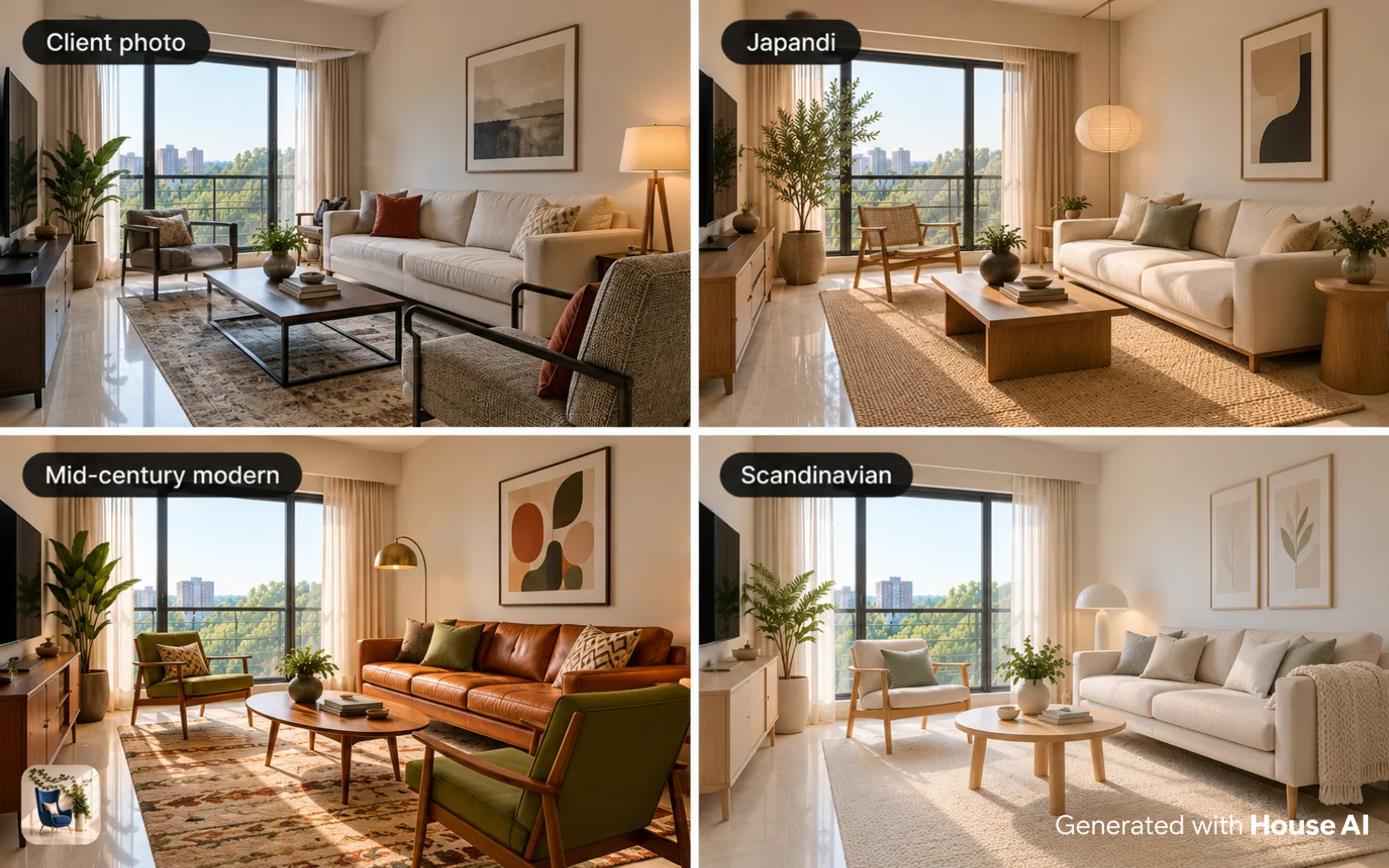
Choose a room type, a style (Modern, Japandi, Scandinavian, Industrial, good tools offer 30+), and optionally a color palette. Prefer to keep your layout? Pick a structure-preserving mode so walls and windows stay exactly where they are.
Step 4, Generate and iterate
The render lands in about 15 seconds. Nobody nails it on the first try, the magic is in iteration. Same photo, three styles, two palettes: five minutes later you have a shortlist you'd never have reached scrolling Pinterest.
Design any room, shop or space with House AI in about 15 seconds. 1 free design a day.
Get Started TodayHow Much Does AI Room Design Cost in 2026?
Here's the honest math. A traditional interior designer in the US charges roughly $50–$200 per hour, and a single-room concept typically runs $500–$2,000 before you've bought a single cushion. AI room design tools in 2026 cluster around three price points: free tiers (usually 1–3 generations a day with a watermark), subscriptions in the $10–$20/month range for unlimited use, and one-off credit packs somewhere in between.
House AI, for example, gives you 3 free designs a day to test the waters, and unlimited renders work out to well under a dollar a day on the yearly plan. For the cost of one hour of a designer's time, you get a year of unlimited experiments. That doesn't make designers obsolete (for structural renovations you still want a professional) but for style decisions, AI has fundamentally changed the economics.
The Best Free AI Room Design Tools in 2026
I'll keep this list short and honest, you can find 15-item listicles elsewhere (including ours). These are the tools I actually reopen:
House AI, best all-round photo-to-design tool
One photo in, photorealistic redesign out, and not just interiors. Exterior facades, gardens, wall paint, and flooring each get a dedicated tool, plus a Style Transfer mode that copies the look of any reference photo onto your room. The free tier is enough to know within a day whether it fits your project.
Style Transfer tools, best when you already have a reference
Saved a hotel lobby or a Pinterest living room you love? Style transfer applies that exact aesthetic (palette, materials, mood) onto your own room photo. It's the fastest route from 'I want THIS' to 'this is what THIS looks like in my house.'
Masked editing tools, best for surgical changes
Sometimes you don't want a new room, just that one sofa gone. Object-removal and furniture-replace tools let you mark an item and either erase it cleanly or swap it for something described in plain words ('a green velvet armchair') while the rest of the photo stays untouched.
Before & After: What the Results Actually Look Like
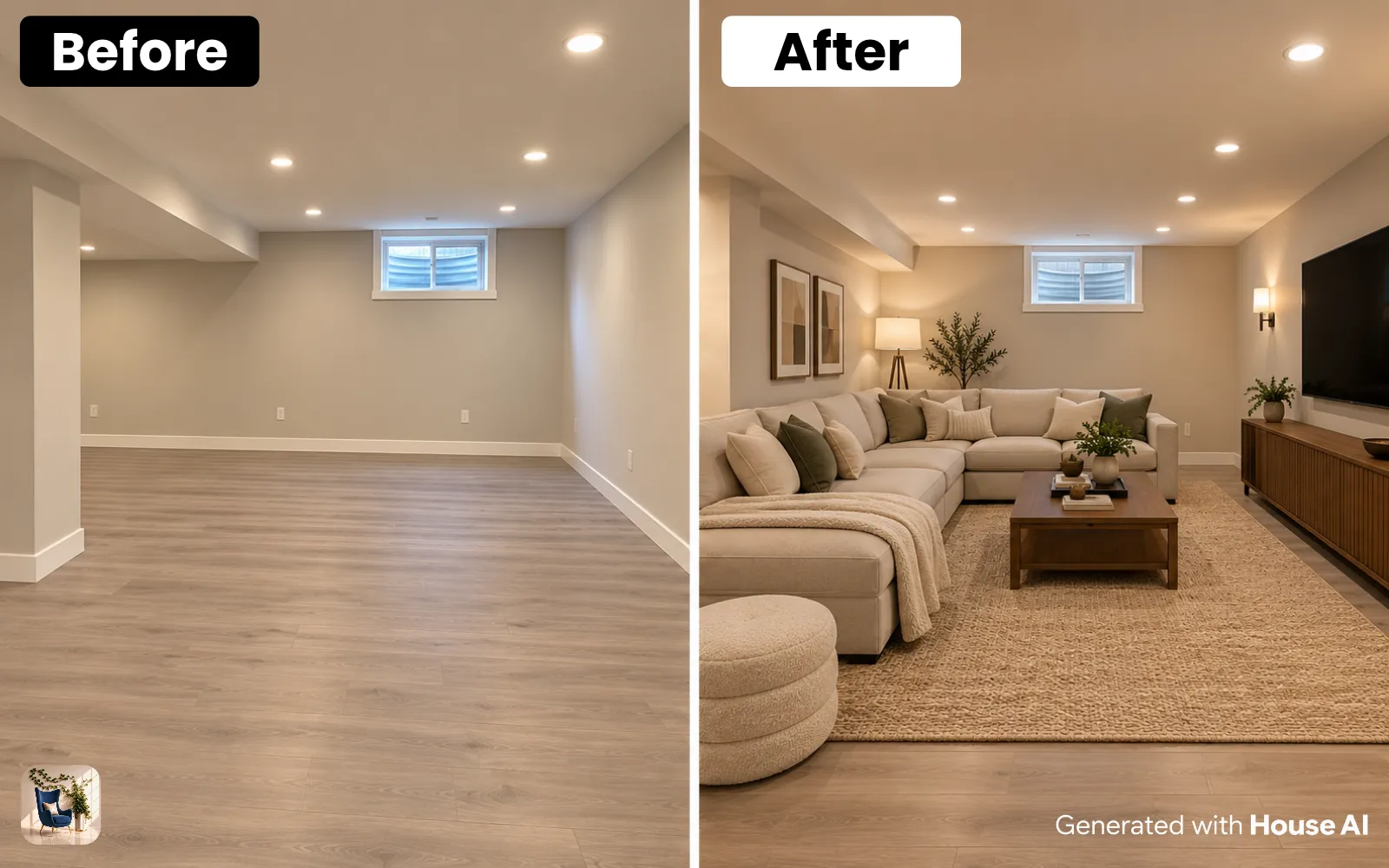
The photo pair below is a real single-photo redesign, same room, same angle, one generation. Notice what the AI preserved: the window position, the ceiling line, the depth of the room. That structural honesty is what separates 2026's photo-based tools from the early image generators that would happily invent a fourth wall.
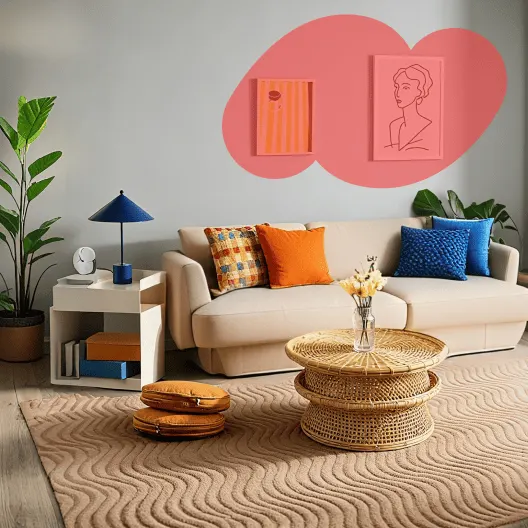
"The render isn't the finish line, it's the conversation starter. Once you can see a direction in your own room, every other decision gets easier."
7 Tips for Better Results From One Photo
- Shoot in landscape from a corner, more visible room means more for the AI to work with
- Use daylight; harsh evening shadows confuse depth estimation
- Keep the camera level, tilted photos produce tilted furniture
- Try a structure-preserving mode first, then a full renovation mode for bolder ideas
- Generate 3–5 variations before judging a style; the second attempt is often the keeper
- Use a color palette option instead of writing long prompts, it's more reliable
- Save your favorite renders side by side and compare them at different times of day
FAQ: AI Room Design From a Photo
Is AI room design from a photo free?
Mostly yes, with limits. Nearly every serious tool (House AI included) offers a free tier, typically one to a few generations per day with a watermark. Unlimited use runs $10–$20 a month across the market in 2026.
How accurate is it to my real room?
Structure-preserving modes keep walls, windows, and the camera perspective faithful, it's genuinely your room. Furniture and decor are reimagined, so treat the output as a design direction, not a shopping list with exact dimensions.
Do I need a professional camera?
No. Every render in this article started as a normal phone photo. Lighting and framing matter far more than megapixels.
Can it redesign exteriors and gardens too, or just rooms?
The photo-in, render-out workflow works on any space. House AI ships dedicated tools for exterior facades, garden landscaping, wall paint, and flooring, each tuned to change only that surface and leave the rest of the photo alone.
Will AI replace interior designers?
For visualization, largely yes. For structural work, sourcing, and project management, no. The most common pattern we see in 2026 is homeowners arriving at a designer's first meeting with AI renders instead of Pinterest boards, which saves everyone billable hours.
The Bottom Line
AI room design from a photo is the rare tech promise that delivers exactly what it says: one photo, one style choice, and a usable, photorealistic answer to 'what would my room look like if…?' in about 15 seconds. The free tiers make trying it a zero-risk decision, the only thing you're really spending is the ten seconds it takes to find a photo of your room.
Design any room, shop or space with House AI in about 15 seconds. 1 free design a day.
Get Started Today