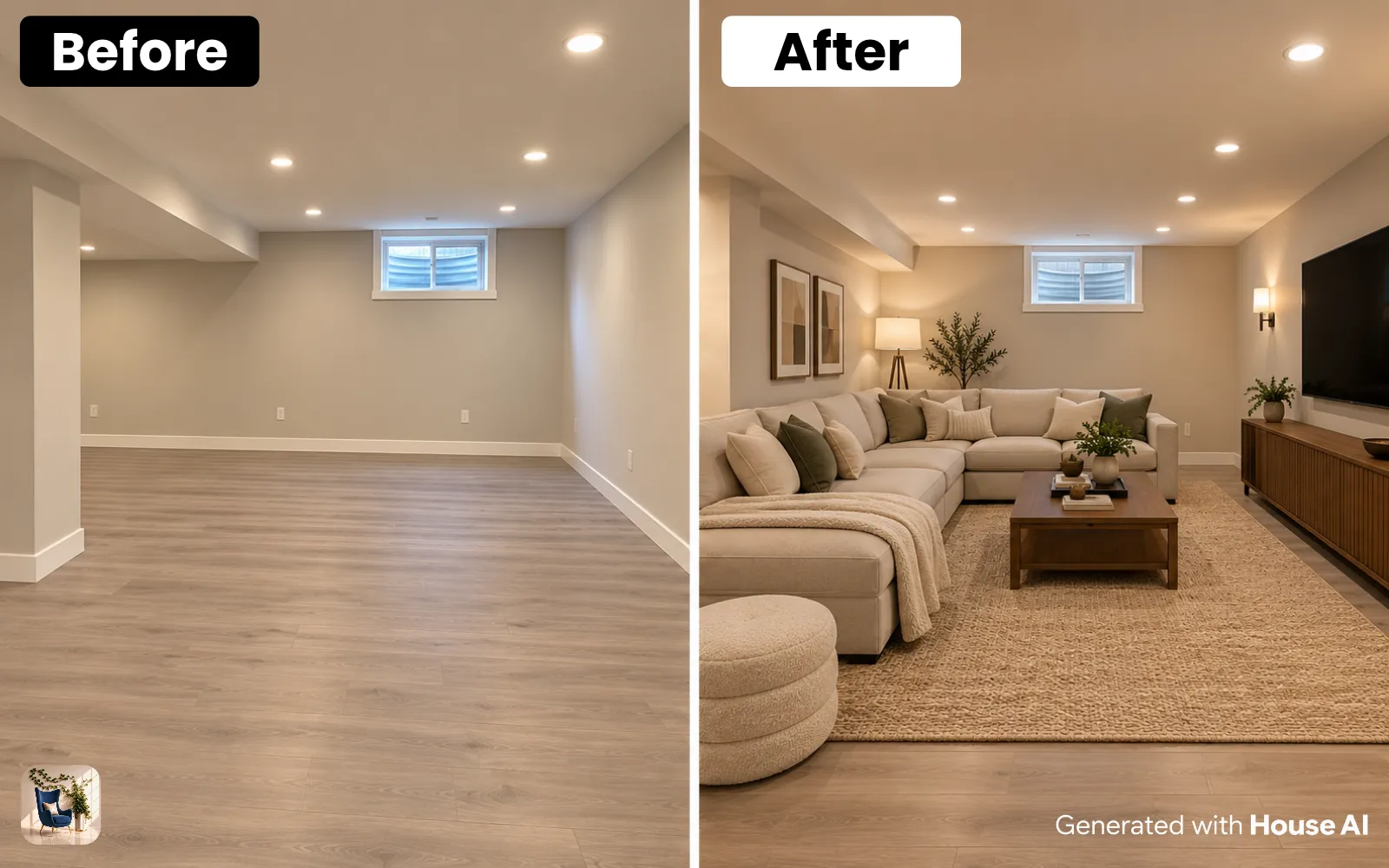
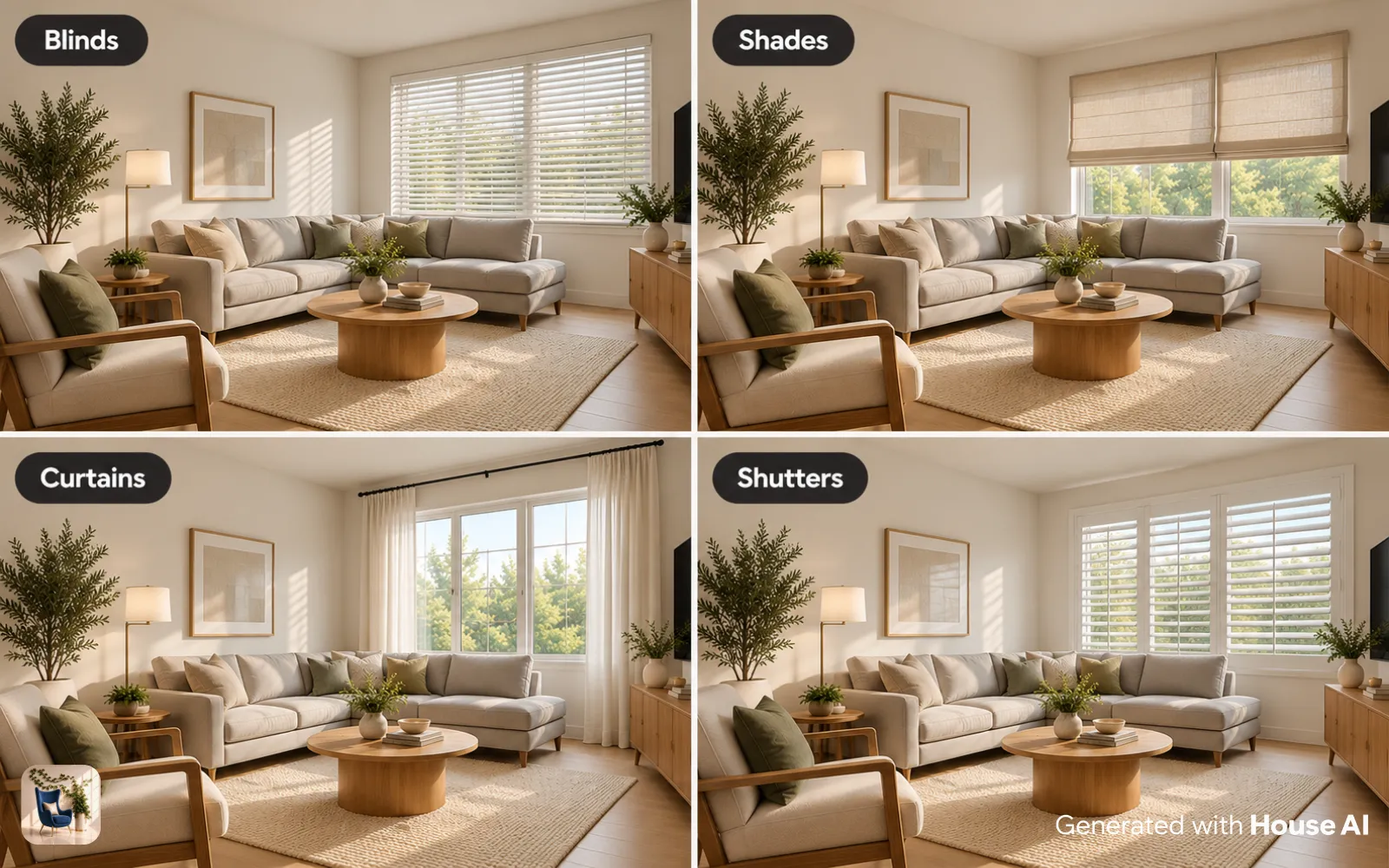
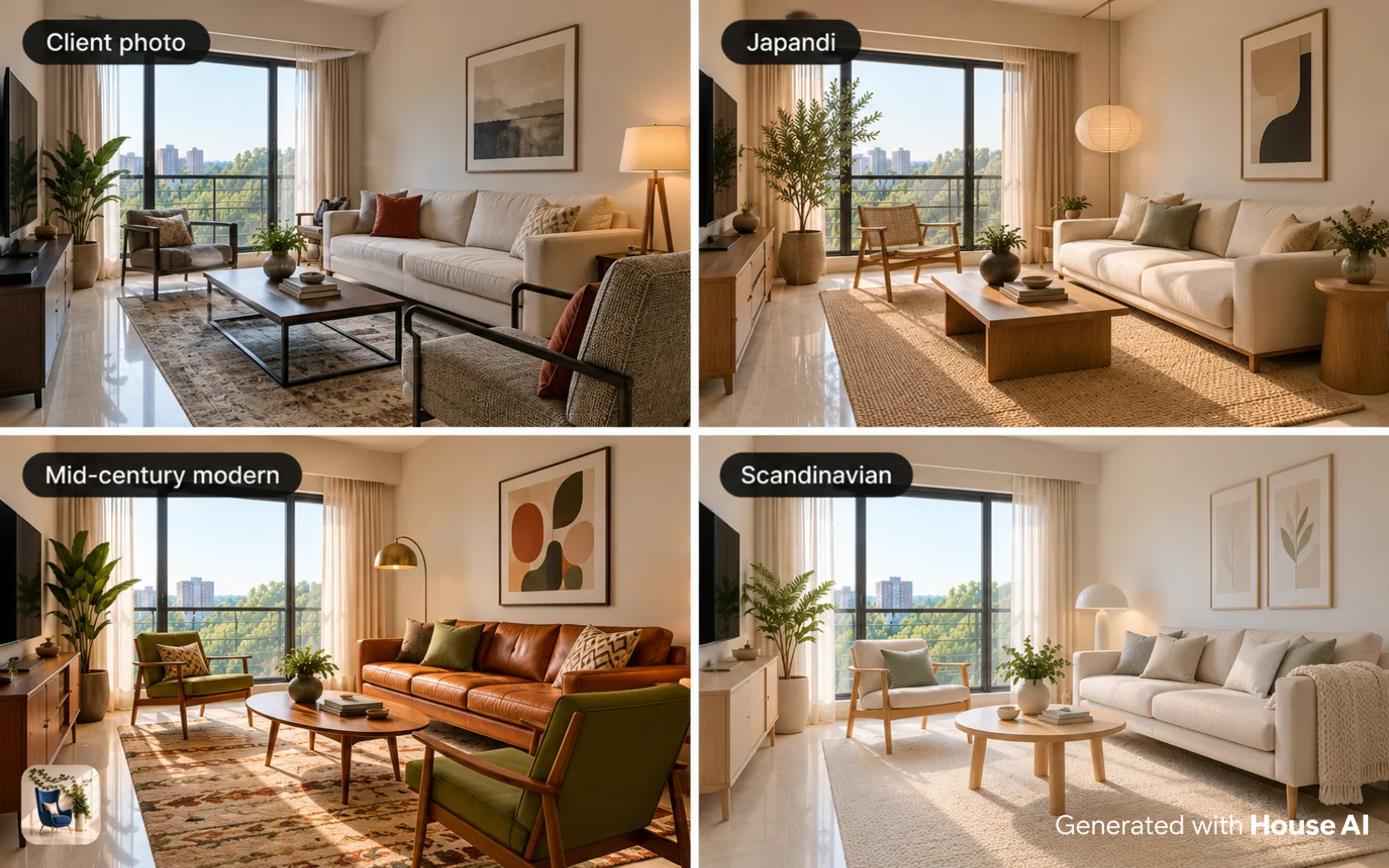
You build an interior design portfolio with no clients by making the projects yourself: concept designs for real rooms, mood boards that explain your choices, and before and after redesigns of rooms you live in. Three to five finished projects make a solid start. House AI turns a room photo into a concept render in about 15 seconds; label it as a concept visual.
Nobody hiring a new designer expects a list of paying clients. They want proof that you can read a room, solve a problem, and explain why you made each choice. This guide covers the five kinds of projects you can make on your own, how to build one from brief to final page, and how to present AI renders honestly.
What counts as portfolio work when you have no clients
Any project with a real room, a clear brief, and a finished design counts as portfolio work. The client can be you, a friend, a family member, or a person you invent for the exercise. What matters is that the project shows a problem and your answer to it.
A portfolio page that says "living room, Japandi" tells a reader very little. A page that says "a narrow rental living room with one window, for a couple who work from home, redesigned to fit a desk without losing the sofa" tells them how you think. Write every project as if someone hired you, then be upfront about who that someone was. A line such as "Self-initiated concept project" at the top of the page is enough.
Avoid filling the portfolio with saved images from other designers or stock photos. If you didn't design it, it doesn't belong there, even as inspiration. Your own sketches, your own photos, and your own boards are worth more than a polished image you can't explain.
Five project types you can make without a client
Mix at least three of these types so the portfolio shows range. A reader should see that you can plan a layout, pick a palette, and finish a real room.
| Project type | What it shows | What to include |
|---|---|---|
| Concept project for a real room | You can take a brief and carry it to a finished design | Brief, room photos, floor plan, mood board, concept renders, product list |
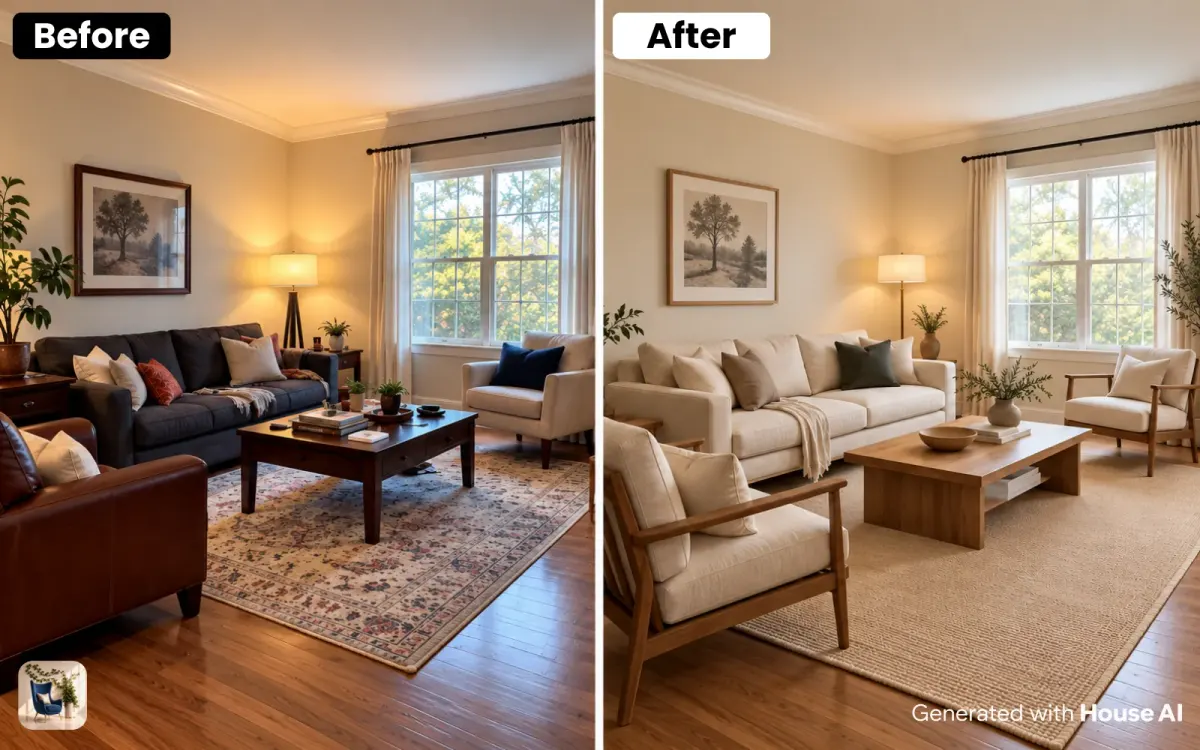
| Before and after of your own room | You can finish a real space, on a real budget | Before photos, the plan, after photos from the same angles, what you spent and why |
| Mood board with a written rationale | You can choose colors, materials, and pieces that work together | Palette with paint names, fabric and finish samples, three to five key pieces, a short paragraph on each choice |
| One room in three directions | You can design for different tastes and briefs | One base photo, three styles, a sentence on who each direction suits |
| Styled corner or vignette | You can work with what is already in a room | Before and after of a shelf, entry, or bedside table, plus a list of what moved |
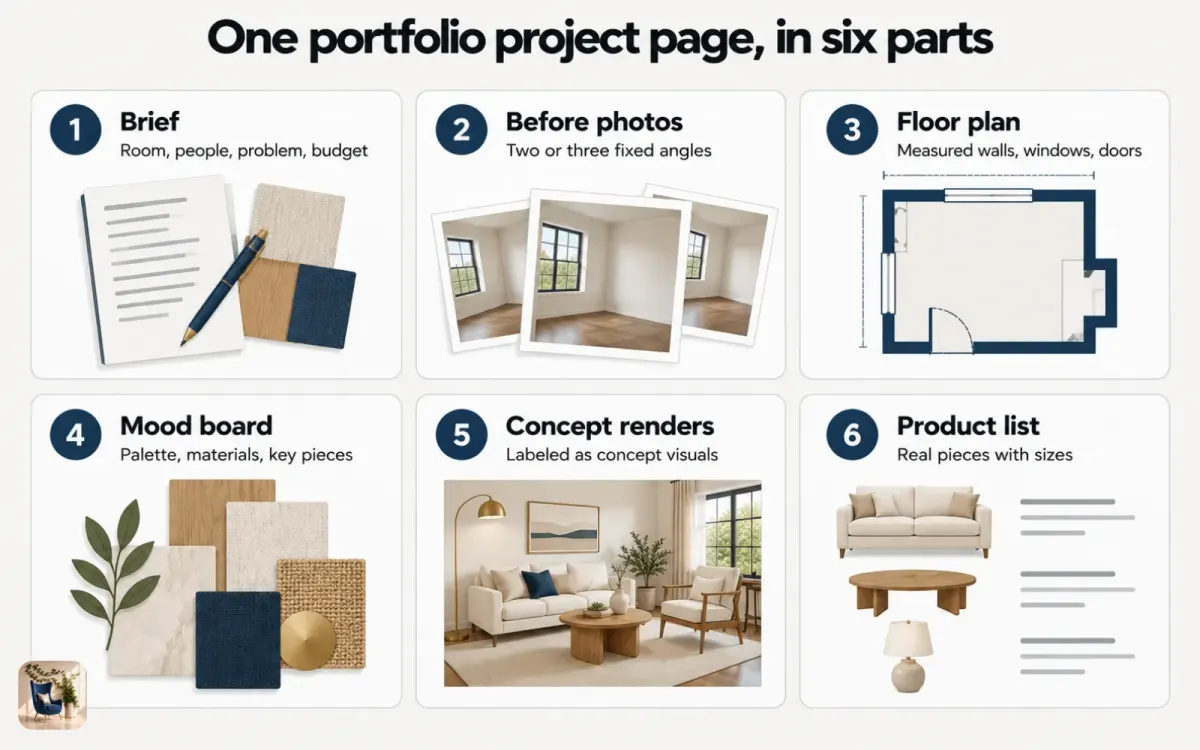
How to build a concept project from start to finish
A concept project is the backbone of a no-client portfolio, because you control every part of it. Here is the order that keeps it honest and complete.
Step 1: Write a one-paragraph brief
Name the room, the people who use it, and the problem to solve. Add a budget level and two or three must-haves, such as "seats six" or "keeps the existing floor."
Step 2: Photograph and measure the room
Shoot from a corner in daylight so two walls, a window, and the floor show. Then measure the walls, the windows, and the doorways, and sketch a simple floor plan with those numbers on it.
Step 3: Build a mood board
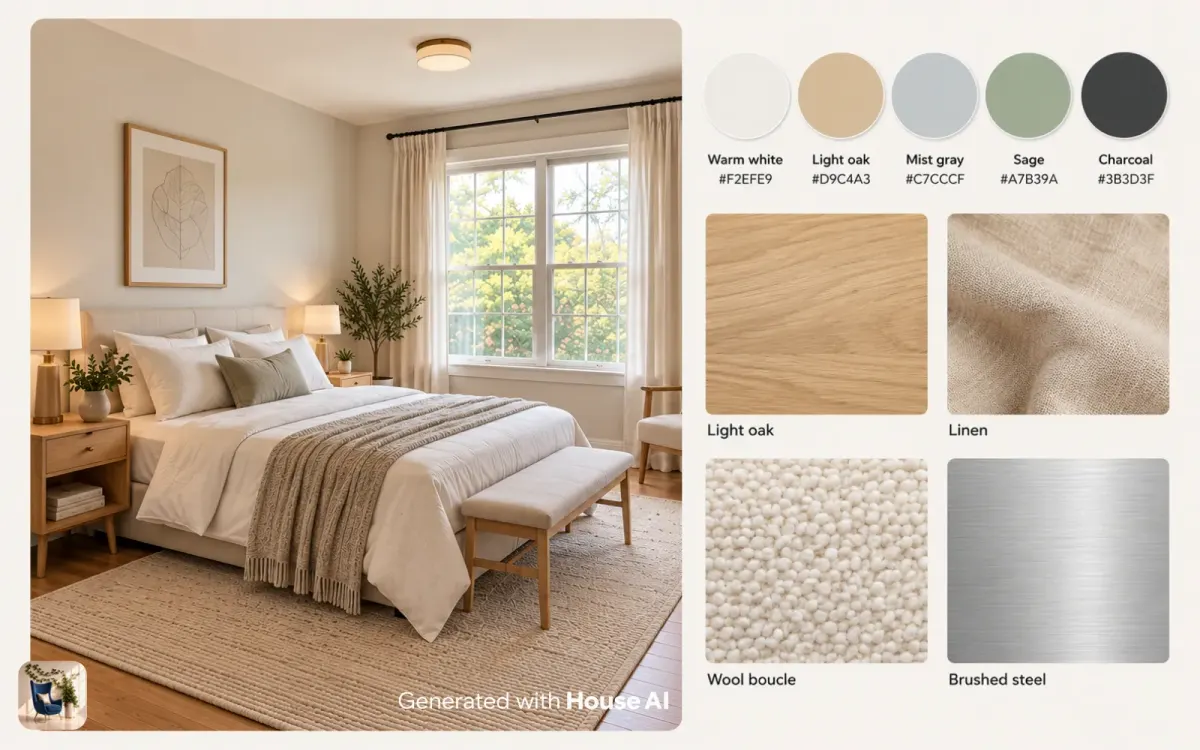
Pick a palette of four or five colors with real paint names, then add fabric, wood, and metal finishes. Write one sentence for each choice that ties it back to the brief.
Step 4: Make concept renders
Upload the room photo to House AI, set the room type, and pick a style from the grid or describe the look in your own words. Each design takes about 15 seconds on average, and every user gets 3 free designs a day. Try two or three directions before you choose one.
Step 5: Turn the render into a plan
Use your measurements to check that every piece in the render actually fits. Swap anything that doesn't, then list the real products you would buy, with sizes.
Step 6: Write the project page
Put the brief first, then the before photos, plan, mood board, concept renders, and product list. Close with two or three sentences on what you would change with a bigger budget.
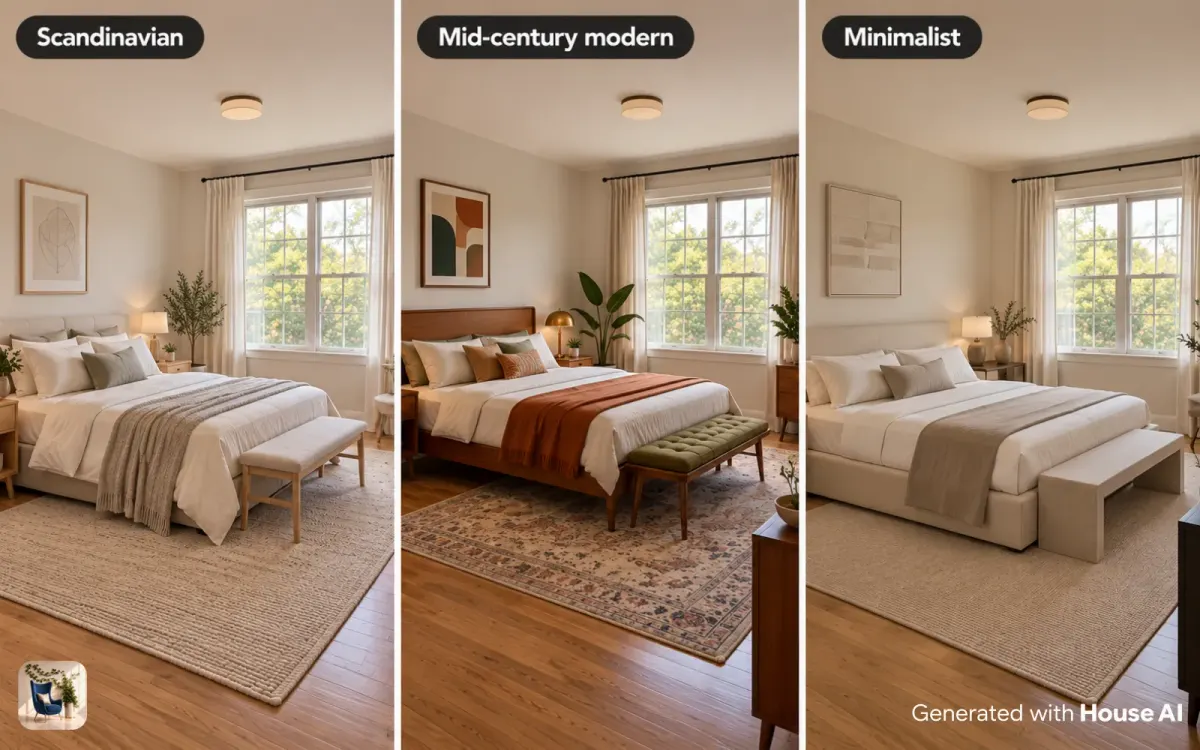
How to make a mood board that explains your thinking
A good portfolio mood board explains why you chose each thing. Anyone can arrange pretty swatches. A designer can say why the sofa is a warm gray instead of a cool one, or why the rug carries the only pattern in the room.
Keep the board tight. Four or five colors, three or four materials, and three to five key furniture pieces are enough. Put the room photo or a concept render in the middle so the reader sees the palette in context. Under the board, write a short rationale: the mood you wanted, the colors that carry it, and one choice you made to solve a problem in the brief.
Real samples photograph better than screenshots. If you can, lay out paint chips, fabric swatches, and a piece of wood or tile on a plain surface in daylight and photograph them from above. Mixed with a render, that gives the board a texture a reader can almost touch.
How to use before and after photos of your own rooms
Your own home is the easiest real project you will ever get, and it proves you can finish a room. A redesigned bedroom, a rearranged living room, or a refreshed kitchen counts, even on a small budget.
Take the before photos first, before you move anything, from two or three fixed spots. Mark those spots with tape on the floor so the after photos match. Shoot both sets in daylight with the same lights on. Small fixes count too: new paint, a better furniture layout, swapped hardware, or a rug that finally fits the room.
Write the budget and the constraints next to the photos. "Rental, no paint allowed, kept the existing sofa" makes a modest change look smart. Readers trust a project more when they can see the limits you worked within.
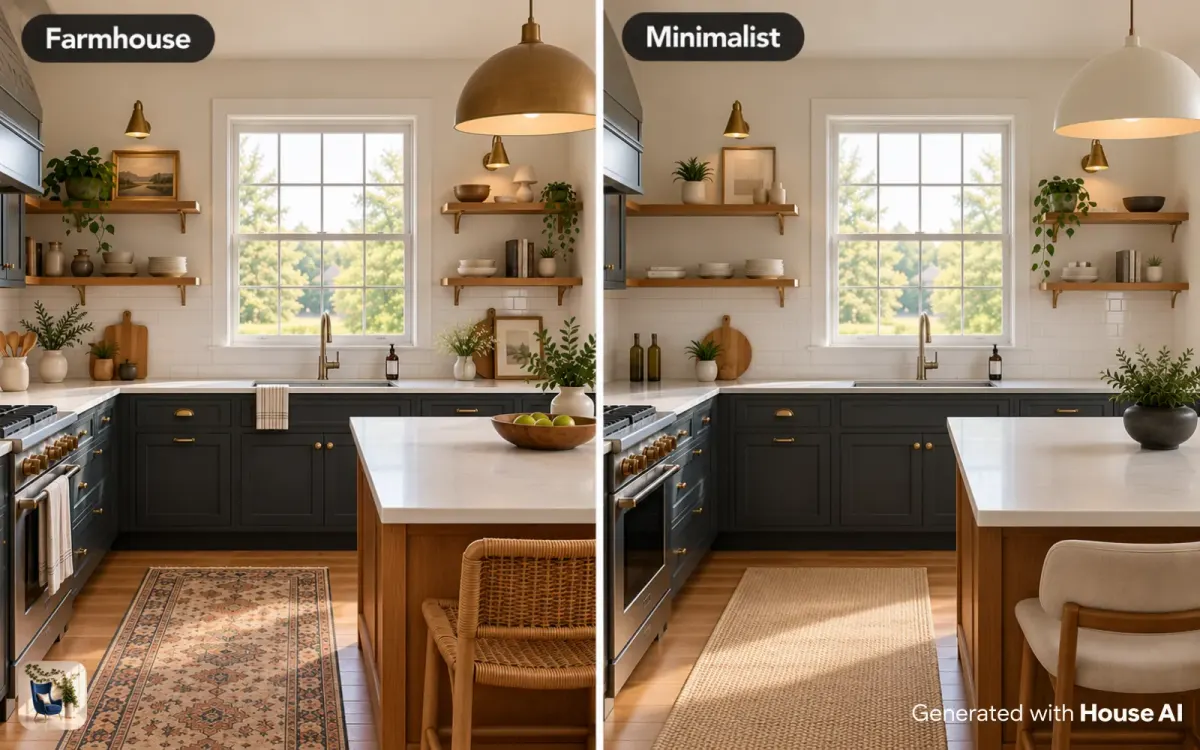
How to label AI renders in a portfolio
Label every AI render as a concept visual, right on the page. A caption such as "Concept visual, AI render from a photo of the existing room" is clear and takes one line. Never present a render as a photo of a finished, built room.
Renders are useful in a portfolio because they show design direction fast, and a reader can compare options side by side. They also have limits you should know. AI does not measure the room, so a sofa that fits the render may not fit the wall. Small details can drift between the original photo and the render, such as a window frame or an outlet. And color on a screen is not paint color, so match your palette to real paint chips. Free House AI designs carry a watermark, and renders come out at up to 2K resolution, which is plenty for a website or a PDF.
Pair each render with something only you could make: the brief, the measured plan, the product list, or a photo of real samples.
How to lay out the portfolio itself
Start with your strongest project and end with your second strongest, so the portfolio opens and closes on good work. Three to five complete projects beat ten thin ones.
Keep two versions. A simple website lets people find you, and a PDF of the same projects is easy to attach to an email. Give every project the same structure so a reader knows where to look: title, one-line brief, before photos, plan, mood board, concept or after images, and product list. Add a short about page with your name, the kind of rooms you like to design, and how to reach you.
Update it every few months. When you land a real client, add that project near the front and move the weakest concept project out.
Design any room, shop or space with House AI in about 15 seconds. 1 free design a day.
Get Started TodayFrequently asked questions
How many projects should a beginner interior design portfolio have?
Three to five complete projects are enough to start. Mix project types, such as one concept project, one before and after of your own room, and one mood board with a written rationale.
Can I use AI renders in an interior design portfolio?
Yes, as long as each one is labeled as a concept visual. Show the original photo next to it and pair it with your own plan, measurements, and product list.
Can I include my own home in my portfolio?
Yes. A before and after of a room you live in proves you can finish a real space. Note the budget and any limits, such as a rental lease or furniture you kept.
Do I need a website, or is a PDF enough?
Have both if you can. A website helps people find you, and a PDF is easy to email with an application or a pitch.
Is it honest to show projects that were never built?
Yes, if you say so. Mark them as concept or self-initiated projects at the top of the page, and never present a render as a photo of a finished room.
Keep reading
- Interior Design Styles Explained: 40 Looks With Real Room Examples
- How Do I Find My Interior Design Style?
- How to Redesign a Room With AI in 2026 (8 Easy Steps)
- What Is Interior Design? Definition, Principles, Types and Careers
Sources: House AI figures come from the House AI app.